
Kahoot Alternatives in 2026: 10 Picks for Live Games and Self-Paced Quizzes

The right Kahoot alternative depends on one thing: whether a host will be in the room. So this list is split down that line, tools that run a live game off a projector and a PIN on one side, and tools that run a quiz people open from a link on their own time on the other. Most lists of Kahoot alternatives rank the two as one thing, which is how a trainer ends up with a game nobody can play on a Thursday night. Sorting them was the fun part, honestly, because the host question sends half the list to one side of the room before you’ve compared a single cap, and costing one trainer’s year on every tool settles the rest.
If you need a Kahoot replacement today, pick from these three
- Live, on a projector: Blooket, the one I’d put up first, with 60 players a game on the free Starter plan and a homework mode that keeps the same set open for 14 days after class.
- Self-paced, by link: Uplup, since the AI drafts the questions from your deck, people open a link instead of typing a PIN, and $19 a month covers a group of 50 every week of the year.
- Either, for $0, under 50 people: AhaSlides, because the free plan runs unlimited presentations with 50 live participants each, and its Audience (self-paced) setting covers the weeks you don’t want to host, if your plan carries it.
Where Kahoot earns its place, and where Go stops at 10
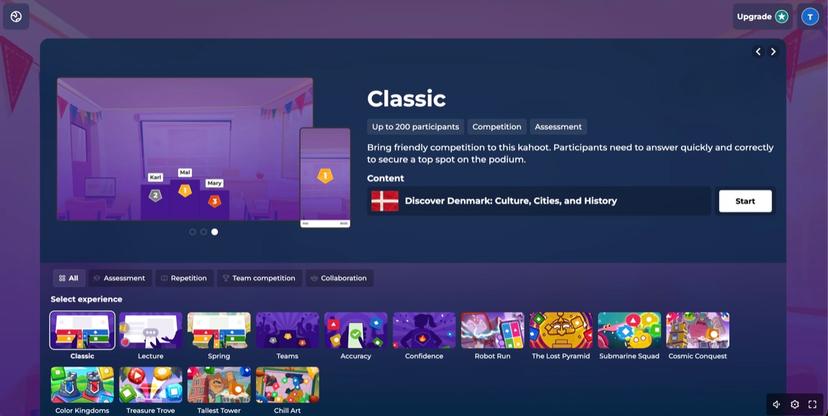
Yes, Kahoot is still free: as of November 15, 2026 the Kahoot! Go plan costs $0, allows up to 10 participants per game with basic question types, and includes the Assign mode, and that 10 is the number that sends most people looking. Kahoot itself is a live quiz game: a host shows the questions on a shared screen and everyone answers on their own phone against a countdown.
What it gets right is the room. The music, the countdown, the podium and the fact that every student and conference crowd already knows kahoot.it make it the lowest-friction live quiz there is, and the Discover library means you rarely start from a blank question. I’ve watched a room of adults who swore they were too busy for this lean forward at question three! That energy is the product.
The paid plans are sold by who you are. A teacher or a personal account buys Kahoot!+, and the ladder is Bronze, Silver, Gold and One at $3, $6, $10 and $19 a month billed annually for 50, 100, 200 and 800 participants a game (Bronze is $36 a year or $9 month to month, and One is marked down from $25). AI creation from a topic, a URL or a 3-page file starts at Bronze. A business buys Kahoot! 360 instead: Pro Start is $15 a month billed annually, $180 a year, for 50 a session, Pro Standard is $25 for 200, yearly billing only, and the free 360 Express hosts 15-minute sessions for up to 15 participants.
Its self-paced mode is the Assign button next to Host live, on every plan including Go: a PIN, a link and a QR code, a deadline up to 28 days out (no deadline is a Gold and Kahoot! One feature), one question at a time on their own device, no account needed, and a leaderboard that can’t be hidden.
Live game or self-paced quiz? Decide this first
Decide this one before you compare a single feature, because it halves the list and changes what every number below means: most Kahoot searches are really a question about whether a host is in the room.
Host required or not: the first thing I checked is whether the quiz runs with nobody presenting, and whether the vendor calls that a mode or just homework.
Player or participant caps: the number matters less than the unit, because 50 a week lands differently when it’s counted per game, per month or per room.
AI question writing: the quiz should write itself from your slides or notes, so I looked at what each tool accepts (a topic, a URL, a PDF) and what’s metered.
Explanations and scoring: a participant should see why an answer was right, and I noted what scoring exists beyond points for speed.
Leaderboards: they live on the host screen or on the phone, and the question is whether they survive a quiz nobody is hosting.
Lead capture for public use: a quiz that goes on a landing page needs to ask for an email ahead of the results, so I checked who has that switch.
Price per participant: I took the plan that fits your room and divided it by the people in it, which is what the cost section does.
I pulled every cap and price below off the vendor’s pricing page or help center on November 15, 2026 and worked the cost section out again from those figures, so when you see a blank (Slido names four plans and prices none of them) it’s because the page left one, not me.
Can a quiz run without a host and still feel like a game?
Yes, and four things carry the feeling once the music is gone: a timer, a leaderboard, an explanation under each question and a link that opens on a phone with no login. The score screen does more of the work than the host does, which you learn the first time a team quiz goes out by email and people reply with their rank.
The version I’d run goes like this: drop the training deck, as a PDF, on the AI quiz generator and it drafts the questions and the correct answers from the slides. Pick a scoring mode, write a line of explanation under each question, set the quiz timer, and share the link or the QR code. The next morning you read the leaderboard and the drop-off report instead of a podium. The timer is a Pro setting and the leaderboard a Business one.
The part that breaks when you do it yourself is the question writing: thirty questions on a compliance deck is a real evening, and the version you finish at 11pm has two answers that are both right. Letting the AI draft them and fixing the five it got wrong is the whole trick.
Ten tools on the six things teachers and trainers ask about
The second and third columns are the pair that matters, since a yes in both is a tool that runs your Friday session and your Monday follow-up, and seven of the ten manage it.
| Tool | Live hosting | Self-paced mode | Free plan limits | AI question writing | Price |
|---|---|---|---|---|---|
| Uplup | No PIN or host screen | Yes, by link | 10 responses a month | Prompt, URL, PDF, image or document | $19 a month for 1,000 responses |
| Wayground | Yes, teacher-paced | Yes, assigned | Teachers: 100 students, 20 stored activities | Generate, import, adapt | Free for teachers; business prices not printed |
| Blooket | Yes, host screen | Yes, homework up to 14 days | 60 players a game | Topic and grade level, via Khanmigo | Price on the upgrade page, behind a login |
| Gimkit | Yes | Yes, assignments on Pro | Featured modes, no player cap | Site doesn’t describe one | $59.88 a year or $14.99 a month |
| Mentimeter | Yes, as a slide | Page doesn’t say | 50 a month on older accounts; unlimited with limited results on new ones | Prompt, topic or document | $11.99 a presenter a month, billed yearly |
| AhaSlides | Yes | Yes, Audience (self-paced) | 50 live participants a presentation | Topic, PDF or PowerPoint | Paid prices not printed |
| Slido | Yes, inside slides and meetings | Page doesn’t say | 100 participants, 3 polls and 1 quiz | Suggests answer options (beta) | Prices not printed |
| Genially | Yes, QR or 6-digit code | Yes, at their own pace | 50 participants a session, 500 AI credits a year | Topic or PDF, on credits | 6€ a month billed annually |
| Crowdpurr | Yes, Presentation View | Automatic and always-on games | 20 participants, 15 questions | Trivia generator, limited on free | $24.99 a month billed yearly |
| Socrative | Yes, Teacher Paced | Yes, Instant Feedback or Open Navigation | 50 students a room, 5 quizzes | 15 generations a week | $10 a seat a month, billed annually |
The 10 best Kahoot alternatives
I’ve put them in the order I’d walk a trainer through them: the one built for a link, then the three classroom games, the three that live inside a deck or a meeting, and the designed one, the event one and the quiet classroom one to close.
1. Uplup
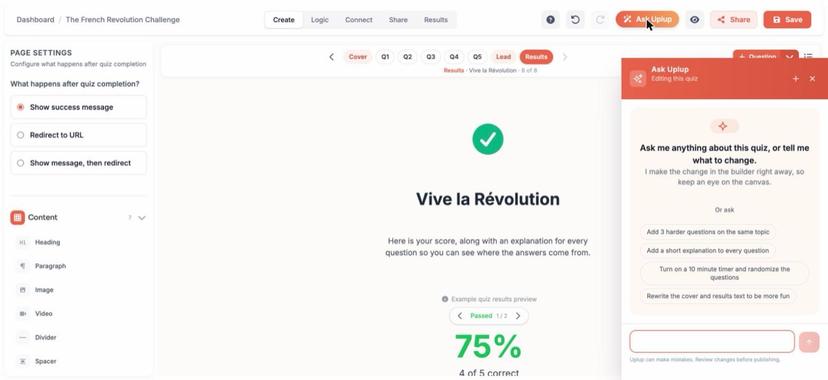
Uplup is the quiz you send as a link, for trainers and team leads whose group can’t meet at once and for anyone whose quiz has to collect an email: it runs while you’re elsewhere, with a timer, an explanation under each question and a leaderboard that fills in as people finish. There’s no game PIN, no music and no host screen, so nobody plays it together in a room.
What it costs (read November 15, 2026): Free is $0 and holds 10 responses a month, enough to build and test, with all the scoring modes, the lead gate and 1 AI generation in it. The timer arrives with Pro, $19 a month or $190 a year for 1,000 responses and unlimited AI generation, and the leaderboard and rankings sit on Business, $49 a month or $490 a year.
Why it replaces Kahoot:
- Drop the deck in as a PDF or paste a URL and the AI drafts the questions, then tell Ask Uplup which ones to rewrite.
- Put an email step in front of the results, skippable or not, and read the leads in the dashboard.
- Pick scored, percentage, pass or fail, or personality scoring instead of points for speed.
What you give up: the room, and a weekly group of 50 passes the free plan’s 10 responses in the first session, so the real price is Pro’s $19.
My take: the one for a quiz that runs without you; if the quiz needs the room, the next nine are where to look.
2. Wayground (formerly Quizizz)
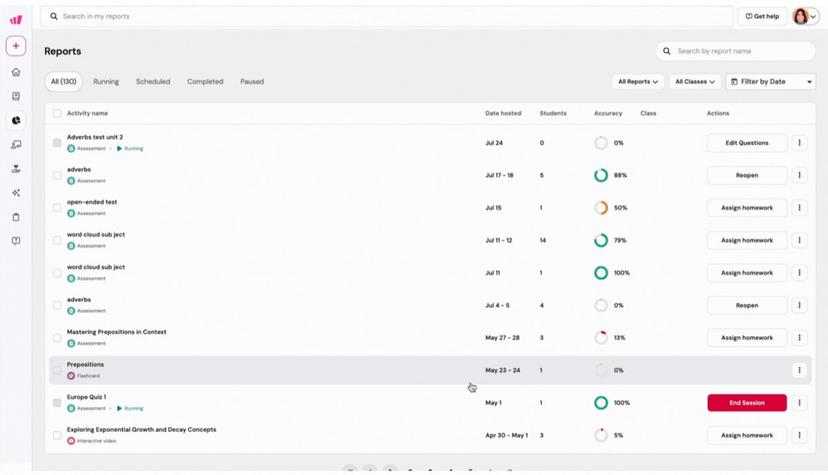
Wayground is a Kahoot with the pressure turned down, for teachers on the free plan and L&D teams buying live and assigned training together: a live, teacher-paced game with power-ups, memes and a leaderboard, or the same quiz finished later as an assigned session.
What it costs (read November 15, 2026): the teacher Basic plan is free forever with 100 students and 20 stored activities. Wayground for Business sells two plans on yearly billing after a 14-day trial, Essential for 150 participants a session and Pro for 1,000, and the plans page doesn’t print a price for either.
Why it replaces Kahoot:
- Run one quiz live in Instructor-paced, Participant-paced, Test or Team mode, then assign it for the absentees.
- Upload a PPT, PDF or JPG of your training material and Wayground AI writes the questions.
- Hand students Read Aloud and Extra Time accommodations on the free plan in the regions that allow them.
What you give up: the 20-activity shelf on the free teacher plan, which means a weekly quiz is archiving by month five.
My take: a school wanting Kahoot’s game with less adrenaline should just switch, and a business should book the trial and ask for the number the page won’t print.
3. Blooket
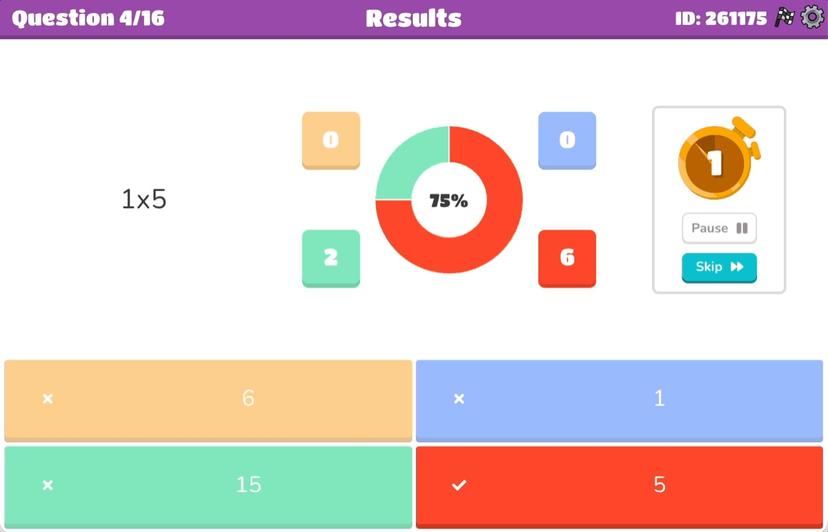
Blooket is the game first and the quiz second, built for K-12 teachers and any group young enough to care about collecting Blooks: you pick a question set and a mode, and the class plays a game that happens to run on your questions, which is why kids ask for it by name.
What it costs (read November 15, 2026): Starter is free forever with up to 60 players a game and homework deadlines of up to 14 days. Plus takes the cap to 300 players with the exclusive game modes and 365-day homework deadlines, at a price the upgrade page shows once you’re logged in.
Why it replaces Kahoot:
- Host 60 players on the free plan, six times Kahoot! Go’s 10.
- Assign the same set as homework and read the question-by-question report when it comes back.
- Rotate the game mode weekly while the question set stays put, so review never feels repeated.
What you give up: adults, mostly, since the Blooks read as elementary, and AI question writing runs through a Khanmigo account rather than inside Blooket. The 14-day homework window is what $0 buys, and Plus stretches it to a year.
My take: for a classroom it’s the live Kahoot replacement I’d try first, Blooks and all.
4. Gimkit
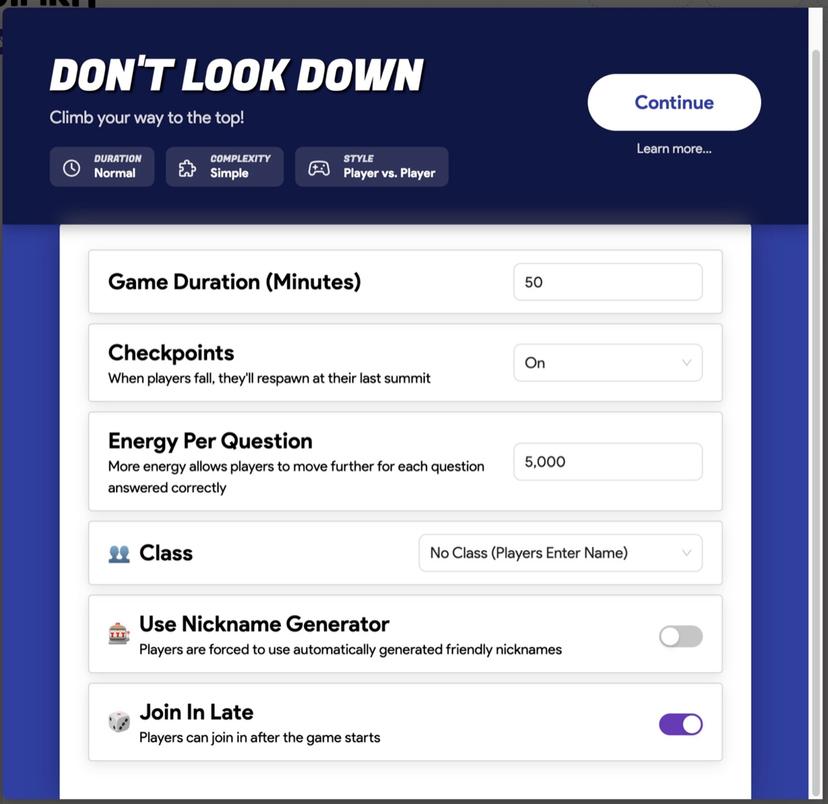
Gimkit is the teacher favorite for game variety, with 2D games like Snowbrawl, Don’t Look Down and Blastball running on your own questions, and the mechanic underneath is money: students earn in-game cash for right answers and play toward a cash goal, so one kit gets answered several times in a session.
What it costs (read November 15, 2026): Basic is free with the featured modes, usually three at a time, and as many students as you want. Pro is $59.88 a year or $14.99 a month for every mode, assignments and image and audio uploads (both figures sit in the help center’s Pro FAQ, since Gimkit doesn’t print a pricing page I could read).
Why it replaces Kahoot:
- Play the featured modes with no player cap at all on the free plan.
- Assign a kit as homework on Pro, set the cash or question goal students work toward, and read each student’s report when they finish.
- Let students write the questions live with KitCollab, accept them, then play the class’s own kit.
What you give up: a question writer, since nothing on Gimkit’s pages describes AI drafting a kit, and assignments wait for Pro.
My take: a trainer with the right crowd could run it, and run it well, since adults like earning fake money as much as kids do; the price is typing the questions yourself.
Every classroom tool’s self-paced mode is homework, and homework has a due date or a paywall: Blooket’s free window is 14 days, Kahoot’s assignments run up to 28, Gimkit’s assignments wait for Pro, and the long version is a paid tier on the first two (365 days on Blooket Plus, no deadline at all on Kahoot’s Gold and One). A trainer’s follow-up quiz has no term that ends, so on a classroom tool the deadline setting is the first thing I’d check and the game modes the second.
5. Mentimeter
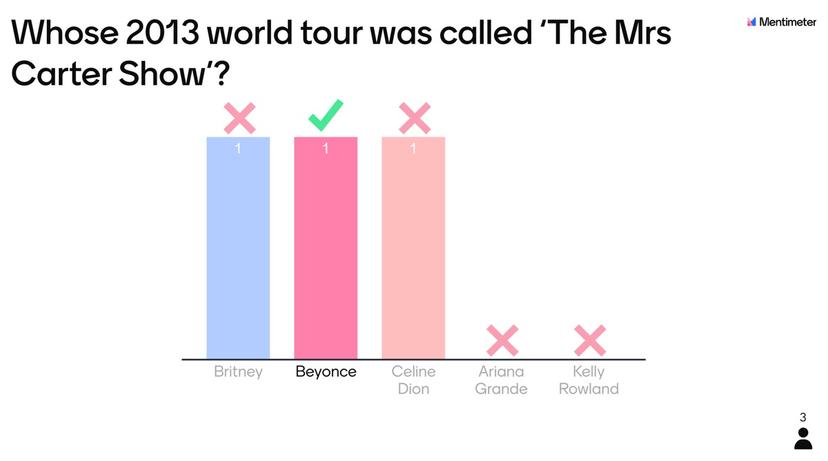
Mentimeter is a presentation tool first, for trainers and facilitators who already present from slides and want the quiz inside them, and the quiz is a slide type there: people join with a code and answer from their phones without you leaving the deck.
What it costs (read November 15, 2026): Free is $0 with 50 participants a month across your presentations and Menti AI included, and Basic is $11.99 per presenter a month billed yearly for unlimited participants, with a monthly option the page doesn’t price. Also, the help center says accounts created after November 4, 2026 get unlimited participants with limited results instead, so the free plan is mid-change.
Why it replaces Kahoot:
- Let Menti AI draft the questions from a prompt, a topic or a document, then edit the result.
- Drop multiple-choice, true or false and open-ended quiz questions between your content slides.
- Keep one shared leaderboard across every Quiz slide in the deck, so the scores add up to one final winner instead of one per question.
What you give up: a self-paced mode (neither the quiz page nor the plans page describes one), and the free plan’s 50 a month on older accounts is one Friday session, while a new free account sees only a slice of the results.
My take: it’s the pick when the quiz is three slides in a 40-slide deck, and the wrong one when the quiz is the event.
6. AhaSlides
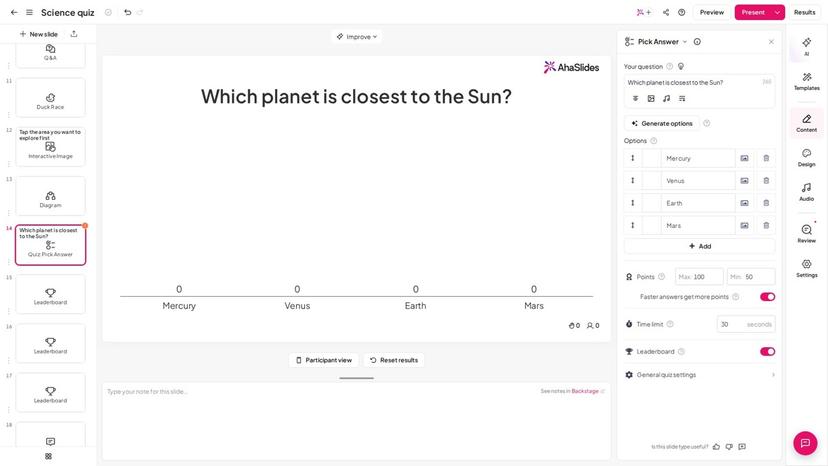
AhaSlides is built for workshops and events rather than classrooms, and for the facilitators and event hosts who run the same quiz live on Tuesday and by link on Friday it has the setting I genuinely wish every tool here had: under Settings, “Who takes the lead” switches a quiz from host-led to Audience (self-paced), and the leaderboard keeps working.
What it costs (read November 15, 2026): Free is $0 for up to 50 live participants per presentation with unlimited presentations a month, and participants past the limit can’t join while the presentation carries on. The pricing page names Essential and Pro plans with a 14-day refund and doesn’t print their prices.
Why it replaces Kahoot:
- Flip “Who takes the lead” to Audience and the quiz runs by link, time limits and leaderboard intact.
- Generate a full quiz from a topic or an uploaded PDF or PowerPoint, then reorder the questions.
- Host 50 live participants on the free plan, five times Kahoot! Go, with no time limit on the account.
What you give up: in self-paced mode an answer is final, and a participant who switches devices starts over, because progress lives in the browser for three days.
My take: the free plan alone covers a 50-person weekly group live, and the Audience setting keeps the same 50 cap on the weeks you don’t host, if your plan carries it.
Those three each count a different thing, and the counted thing is the bill: Gimkit counts the game modes, three free at a time with players uncounted; Mentimeter counts the month for older free accounts, 50 participants across everything, and counts the results you can see for accounts opened after November 4, 2026; AhaSlides counts the live audience, 50 per presentation with presentations uncounted. So the same 50-person group is free on two of them and over one line or the other on the third, and the thing to read on a pricing page is the word after the number.
7. Slido
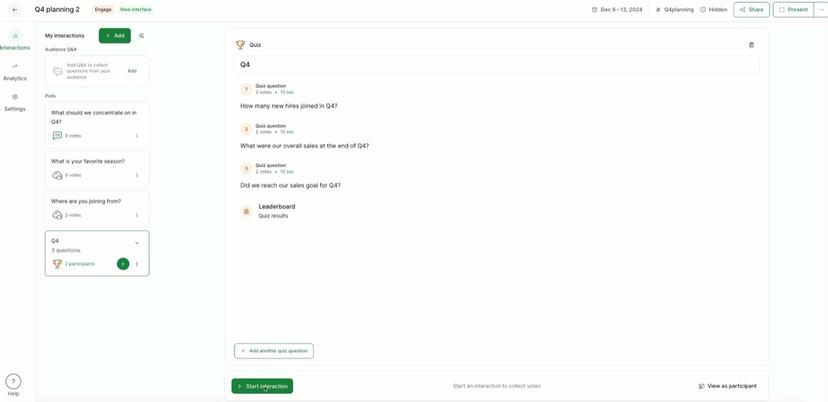
Slido is the corporate meeting pick, for the team running a quarterly all-hands or a Friday team quiz, and the quiz lives where the meeting does: inside PowerPoint, Google Slides, Webex, Teams or Zoom, with participants joining by link or QR code and a time limit on the questions that the host sets.
What it costs (read November 15, 2026): Basic is free, and that’s all the pricing page will tell you, since it names One-time, Annual, Education and Enterprise plans and prices none of them. Slido’s own community answers fill in the caps: 100 participants per slido with 3 polls and 1 quiz per event on Basic, and 200 to 5,000 on the paid plans.
Why it replaces Kahoot:
- Run the quiz inside the slides you already present, activating one question at a time.
- Set a time limit on the questions and finish with a reveal of the top players and the hardest question.
- Let a beta feature suggest answer options for your questions instead of typing four each time.
What you give up: a quiz nobody is hosting (every page shows the host activating each question), and one quiz per event on Basic makes the second round a paid plan.
My take: if you’re already in Webex or Teams, it’s the one with the least setup for a work meeting, and the one quiz on Basic is enough to find out.
8. Genially
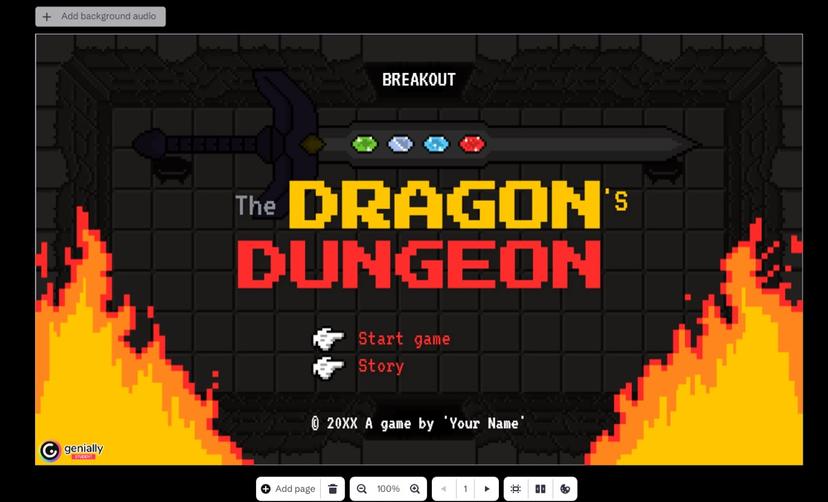
Genially builds gamified content, escape rooms and quizzes included, for teachers and trainers who want the quiz to look designed and for anyone building an escape room rather than a question list. It runs that content two ways: a live session joined with a QR code or a six-digit code, or the same activity completed at each person’s own pace with the Live Results leaderboard still counting.
What it costs (read November 15, 2026): the plans page prices in euros and bills annually. Free is 0€ with 50 participants per live session, 5 question banks of 100 questions and 500 AI credits a year; Pro at 6€ a month, 72€ a year, keeps the 50 cap and adds credits, and Master at 20€ a month, 240€ a year, takes 200 participants. It prints no dollar price and no monthly option.
Why it replaces Kahoot:
- Join with a six-digit code or QR, no account, and watch the Live Results leaderboard during the session.
- Describe the topic or attach a PDF and Genially suggests questions in every format it supports.
- Build an escape room from one of its templates and present it live instead of a question list.
What you give up: unlimited AI, as the 500 free credits a year run out after a few quizzes.
My take: it’s the designer’s pick, the one I’d choose when the activity should look like a game before anyone answers.
9. Crowdpurr
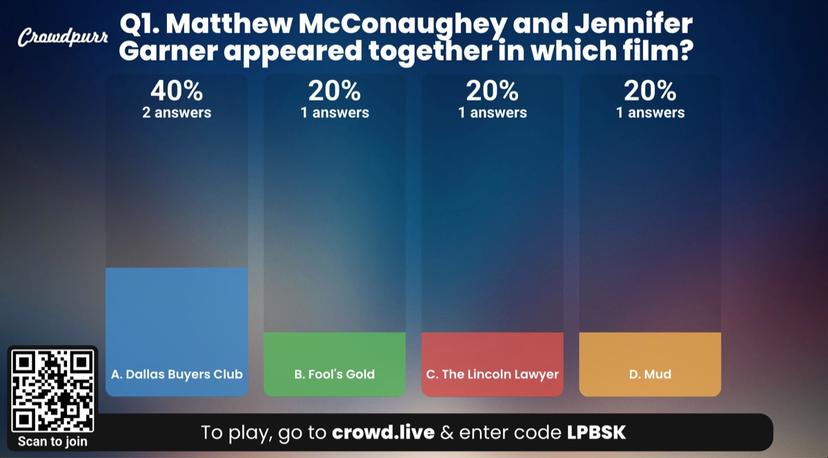
Crowdpurr is live trivia for grown-ups, the one for event hosts and team leads running a trivia night or a quarterly social: events, team socials and bar-style rounds, with a host dashboard, a Presentation View for the projector or the Zoom share, and a Participant View on everyone’s phone at crowd.live. Our trivia questions for work post has 75 ready to paste in.
What it costs (read November 15, 2026): Basic is free with 20 participants per experience, 15 questions per experience and 3 experiences at a time, with the AI generator limited. Classroom is $24.99 a month billed yearly, $299.94, or $49.99 month to month, for 100 participants, 100 questions and unlimited AI.
Why it replaces Kahoot:
- Show the Presentation View on a projector, or stream it to Zoom, Webex, YouTube Live or Twitch.
- Run Fully Automatic mode and the trivia advances itself, or set an always-on game people play anytime.
- Split the crowd into teams and show individual and team rankings on one leaderboard.
What you give up: the game-show feel means an explanation is a Question Note shown after the crowd answers rather than a learning page.
My take: I’d book it for the holiday party and not for the Tuesday refresher, since $299.94 a year buys a stage you’d use four times.
Slido, Genially and Crowdpurr are the three for an adult crowd, and Genially and Crowdpurr have solved the problem a self-paced quiz usually has: a leaderboard needs everyone to finish at once. Genially keeps Live Results counting as people complete the activity on their own time, Crowdpurr’s multi-round events post daily and overall winners, and AhaSlides, back in the middle group, does the same with cumulative rankings. So the leaderboard changes shape without a host – it stops being a reveal and becomes a running tally, and a running tally is what gets a Monday follow-up quiz opened by Wednesday.
10. Socrative
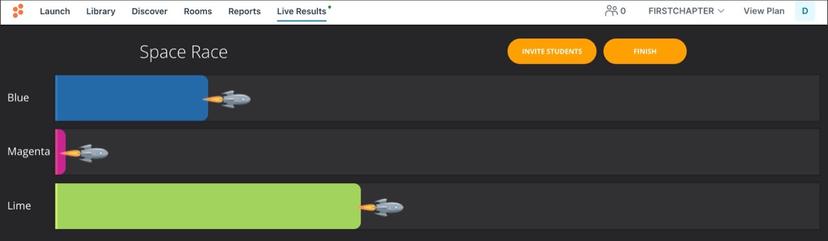
Socrative is the quiet one among the teacher staples, for teachers and trainers who want a check for understanding rather than a game show: students join a room name at gosocrative.com, you launch the quiz as Instant Feedback, Open Navigation or Teacher Paced, and in Instant Feedback the right answer and your explanation show after each question.
What it costs (read November 15, 2026): Free is $0 for 50 students per room, 5 quizzes, 30 days of report history and 15 AI question generations a week. Essentials is $10 per seat a month, billed annually at $120, for unlimited quizzes, 5 rooms and 50 generations a week, and annual billing’s the only option printed.
Why it replaces Kahoot:
- Launch in Instant Feedback and each student sees the correct answer and your explanation right after answering.
- Set a time limit of up to 120 minutes that starts when each student begins, so nobody waits.
- Shuffle questions and answers per student and limit everyone to one attempt, with a resume if they drop.
What you give up: the game, because there’s no music and no avatars, and the 50-student room doesn’t grow until Pro.
My take: it’s 100% the one for a trainer who wants the explanation on the screen more than the podium, at $120 a year.
A trainer running 50 people a week: what a year costs on each
The trainer I costed the whole list for is one person with 50 participants a week for 46 weeks, so about 2,300 participants a year and roughly 200 a month, some weeks a live session and some weeks a follow-up quiz sent by link. For each tool I took the plan that fits 50 in one session, or 200 responses a month where responses are counted, on yearly billing where there is one.
- Kahoot, for reference: 360 Pro Start, $180 a year, holds exactly 50 a session, and a teacher on Bronze pays $36 for the same 50.
- Uplup: 200 responses a month clears Free’s 10 and sits under Pro’s 1,000, so $190 a year, or $490 on Business for the leaderboards.
- Wayground: Business Essential fits at 150 a session, at a yearly price the plans page doesn’t print, and a teacher pays $0.
- Blooket: Starter’s 60 players covers the 50, so $0.
- Gimkit: Basic covers the live weeks at $0, and the follow-up weeks need assignments, so Pro at $59.88.
- Mentimeter: a new account today has no participant cap on Free but hides most results, and the plans page still caps older free accounts at 50 a month, so seeing all 200 results means Basic at $11.99 a presenter a month billed yearly, $143.88.
- AhaSlides: 50 live participants per presentation and unlimited presentations, so literally $0 as long as the group never hits 51.
- Slido: Basic’s 100 participants and one quiz per event covers a weekly session at $0.
- Genially: Free’s 50 a session covers the group at 0€, and a bigger group is Master at 240€.
- Crowdpurr: Basic’s 20 is less than half the group, so Classroom at $24.99 a month billed yearly, $299.94.
- Socrative: Free holds 50 students but only 5 quizzes, and a weekly quiz is 46 a year, so Essentials at $120.
Sorted, that’s $0 four times, for Blooket, AhaSlides, Slido and Genially, then $59.88 for Gimkit, $120 for Socrative, $143.88 for Mentimeter, $180 for Kahoot 360, $190 for Uplup Pro or $490 with the leaderboards, $299.94 for Crowdpurr, and a Wayground figure the page keeps to itself. Per participant, over 2,300 a year, that’s 2.6 cents on Gimkit up to 21.3 on Uplup with the leaderboards, with Kahoot 360 at 7.8, Uplup Pro at 8.3 and Crowdpurr at 13.
I love that the whole table turns on one chair. Four of these tools draw their line at exactly 50, with AhaSlides and Genially counting per session, Socrative per room and Kahoot 360 Pro Start per session, so a 51st person flips four bills at once: Genially from 0€ to 240€, Socrative from $120 to Pro at $200.04 a seat with a two-seat minimum, Kahoot from $180 to $300, and AhaSlides to a price it doesn’t print. That 51st chair costs $280 on Socrative alone! A group of 50 is sitting right on the line, and knowing which side of a cap your group lands on is most of the bill.
If you want a game like Kahoot
If a game like Kahoot is what you’re after, Blooket, Gimkit and Wayground are the three that feel most like it with everyone together, and each one changed a different part. Blooket made the game the point, with modes that change week to week on the same question set. Gimkit pays in-game cash for answers and lets students write the kit. Wayground kept Kahoot’s teacher-paced shape, dropped the pressure, and assigns the same quiz to whoever missed it. If what you’re really after is a website like Kahoot, it’s those three, and the other seven are a different product that happens to share the question format.
Quizlet Live turns a study set into a team game, four or more players working in teams to match the terms and definitions. Baamboozle is the other name teachers bring up, and I haven’t run a round of it, so I’ll leave it at the name.
Where Kahoot is still the easy choice
There are three rooms where I’d tell you to stay on Kahoot. A group that fits Kahoot! Go’s 10, or a teacher already on Bronze with a 50-seat room and a projector, gains nothing by moving. An event that needs the music, the countdown and the podium is Kahoot’s home turf, and a 5,000-person session on Kahoot! 360 Pro Ultra, once Kahoot has onboarded you, is a thing most of this list can’t do at any price. And a school or company already licensed has the hard part done – the Assign button covers the self-paced case, so moving would cost more than staying.
Frequently asked questions
Is Kahoot free?
Yes. As of November 15, 2026, Kahoot! Go is a free plan for teachers and personal users with up to 10 participants per game and the Assign mode. Businesses get Kahoot! 360 Express for 15-minute sessions with up to 15 participants, and bigger rooms start at 50 participants on Kahoot!+ Bronze at $36 a year.
Is there a free alternative to Kahoot?
Yes, several, and the free Kahoot alternatives split the same way the list does. For a live game, Blooket’s Starter hosts 60 players and Wayground’s teacher plan 100 students for $0. For a self-paced quiz, AhaSlides’ free plan takes 50 participants per presentation and the Audience setting keeps that cap, and Uplup’s free plan runs 10 responses a month.
What is the best Kahoot alternative for training?
For training, Uplup is the pick when the group can’t meet at once: it drafts the questions from your deck, sends each person a timer, a score and explanations by link, and Pro is $190 a year for 1,000 responses a month. When the team’s together or on a call, AhaSlides and Slido run the quiz inside the session.
Can a Kahoot quiz be self-paced?
Yes. Click Assign instead of Host live and Kahoot creates a PIN, a link and a QR code; participants answer on their own device, one question at a time, before a deadline you set up to 28 days out, no account needed. Assign is on every plan, Go included, and no-deadline assignments sit on Gold and Kahoot! One.
Which Kahoot alternatives work without a host?
Uplup is built for it, and AhaSlides with its Audience setting, Genially at the participant’s own pace, Crowdpurr in Fully Automatic mode and Socrative in Instant Feedback or Open Navigation all run a quiz with nobody presenting. Blooket’s homework, Gimkit’s Pro assignments and Wayground’s assigned sessions do it with a deadline attached, and Mentimeter and Slido don’t describe one.
How do you make a Kahoot?
You make a Kahoot in Kahoot’s own creator at kahoot.com: add your questions and answers, or on a Kahoot!+ plan let the AI draft them from a topic, a URL or a PDF, then choose Host live or Assign. If you’d rather write the quiz once and send a link with explanations attached, the alternatives above do that job.
Try it on your last Kahoot
Take the questions from the last Kahoot you ran, hand them to whichever tool’s AI you’re trying, and send the link to the same group instead of a PIN. Then read what comes back by Wednesday: who opened it, which question everyone missed, and whether people stayed for the explanations screen, because that’s the part a live game can’t give you and the part a self-paced quiz lives on. It takes less time than the Kahoot took to build, and it settles the host-in-the-room question with your own group rather than my list. Uplup’s free plan is 10 responses, one table of the room, and the $19 plan covers everyone else.
