
10 Best Quiz Funnel Software Tools in 2026, Priced at 2,000 Leads a Month

The best quiz funnel software is the tool that owns more of the funnel (there are five pieces, and I’ll name them in a second) for less per lead, and the numbers below say which one that is for your setup. You buy a quiz funnel to bring one number down, your cost per lead, and that number moves with the plan you’re on far more than with the features you check off. So I ran one funnel, 2,000 captured leads a month, through all ten pricing pages, and the same 2,000 people typing the same email address come to $49 on one tool and $547 on another. This is my favorite kind of comparison to run, honestly, because the vendors can’t even agree on what to count.
Three quiz funnel builders worth a trial this week
- Uplup runs the quiz, the results gate and the outcome segment on one $19 plan, and 2,000 leads a month land on Business at $49 because it counts completions rather than leads.
- Interact is the one a list builder should price first, since its Growth plan carries exactly 2,000 email leads a month for $53 paid annually and white-labels the quiz.
- involve.me keeps the follow-up emails inside the tool, and its pricing page prints no submission cap on paid plans, so Grow at $69 billed annually is the bill whatever your completion rate does.
What separates a quiz funnel builder from a quiz maker
A quiz maker scores answers, and a quiz funnel builder takes the answers somewhere, which turns out to be four more pieces of plumbing. Here are the five, and what owning each one means.
The traffic piece is the page the click lands on: a landing page builder, or a hosted funnel page you can put an ad behind. So the quiz isn’t a widget waiting for a website.
The quiz piece is the questions and the logic: scoring, branching and the one-question screen, which every tool here has, so it decides nothing.
The results gate is the email step before the result: owning it means a setting, skippable or required, rather than an email field dropped in as question nine.
The segment is what the answers turn the lead into: an outcome, a score band or a category score that leaves the quiz as a tag or a field.
The follow-up is the email that goes out because of the segment: owning it means the tool sends it. Most tools here hand the segment to your CRM instead, which is fine as long as the segment survives the handoff.
Each plan, cap and price was copied from the vendor’s own pages, pricing or help, as they stood on November 15, 2026; the sums in the cost section are mine from those pages, and a silent page stays silent in the text (ScoreApp being the obvious case: it describes its response add-ons and never prices them).
What a tool counts moves the bill further than anything it does, so the unit is the first thing to read: four of these ten bill per lead, four per completion, one per quiz start and one per view.
Quiz funnel examples that earn their keep
Here are three quiz funnel examples with the working part spelled out, because the segment is where the money is and it’s the part people skip.
A coach’s readiness scorecard runs ten scored questions into three outcomes by score band (Not yet, Nearly there, Ready) with a required gate before the score. Ready triggers an email with a booking link the same minute, Nearly there gets a five-email series on the two areas that scored lowest, and Not yet gets the free guide and a 90-day check-in. So the calendar only sees people who scored Ready.
A skincare product finder runs eight questions in personality mode into four outcomes, one per skin type, with a skippable gate, so the recommendation shows either way. The outcome reaches the email tool as a tag, the tag triggers a product email with a code, and skipping the gate costs the brand the email and never the sale.
A B2B maturity assessment scores five categories separately into three maturity levels, with a required gate that asks for a work email. Advanced fires an instant lead alert to a salesperson, and Developing and Starting get the personalized report and a nurture sequence by weakest category. That’s why the assessment tools price the report and not the quiz.
Which AI quiz funnel builders actually qualify leads?
The AI builders that qualify leads are the ones whose AI writes the outcomes as well as the questions, because the outcome is the segment and the segment is what makes a lead qualified. Four of the ten do it: involve.me’s AI Agent, ScoreApp’s AI Builder and Outgrow’s AI Assistant hand back the results pages with the questions, and Uplup’s quiz funnel builder drafts the questions and the result pages from a prompt, with Ask Uplup there to rewrite any outcome you don’t like. Marquiz’s AI stops at the contact form and LeadQuizzes’ generator stops at the questions, so on those two the segment is still your job.
The build runs like this: you describe the quiz and the three or four results people should land on, the AI drafts the questions and maps each answer to an outcome, the outcome becomes the segment (a tag, a field value or a score band), and the integration writes it onto the contact in your CRM, where an automation picks it up. Where a homemade version comes apart is step three: four good outcomes, then one follow-up sequence, so the segment exists on the results page and nowhere else. The fix is boring and it works: don’t write an outcome you don’t already have an email for.
Ten tools scored on the same five pieces
The second column is the one nobody prints, so start there: how many of the five pieces the tool builds itself. A piece counts when the vendor’s own page names a feature for it, and emailing the result to the taker counts as the follow-up piece. So a hosted quiz link isn’t a landing page, and a CRM sync isn’t a follow-up.
| Tool | Funnel pieces built in (of five) | Included at entry (and what’s counted) | CRM connections | AI builder | Starts at |
|---|---|---|---|---|---|
| Uplup | 3: quiz, gate, segment | 1,000 completions on Pro | 23 on Pro; HubSpot, Salesforce on Business | Prompt, URL, PDF, image, document; Ask Uplup | $19 a month |
| ScoreApp | 5: all of them | 100 completions on Starter | 22 integration cards, Zapier and webhooks among them | Concepts, questions, scoring, results pages | $30 a month, annual |
| Interact | 3: quiz, gate, segment | 500 email leads on Lite | 19 on Lite and Growth, 23 on Pro | Prompt, website or pasted content | $27 a month, annual |
| involve.me | 4: quiz, gate, segment, follow-up | No cap printed on Start | 60+; HubSpot from Grow, Salesforce on Scale | Flow, scoring rules, outcome pages | $29 a month, annual |
| Outgrow | 4: landing page, quiz, gate, segment | 250 form submissions on Freelancer | One native on standard plans; Zapier | Welcome screen, questions, results page | $14 a month, annual |
| Marquiz | 4: landing page, quiz, gate, segment | 30 leads on Start | CRM, email, 500+ Zapier, webhooks on every plan | Start page, questions, contact form | $19 |
| LeadQuizzes | 4: quiz, gate, segment, follow-up | 2,500 responses on Standard | Pro Integrations and webhooks on Standard, Pro and Premium | URL, PDF or text to titles and questions | $37 a month, annual |
| ConvertFlow | 4: landing page, quiz, gate, segment | 10,000 funnel views on Personal | Newsletter tools on Personal; CRMs, Zapier, webhooks on Prime | ConvertFlow AI, Remix AI | $29 a month |
| Perspective | 5: all of them | 100 Generated Leads on Base | Meta Pixel, Zapier, Make on Base; HubSpot in the premium set | AI Funnel Builder, MCP, AI Sequences from Grow | $47 a month, yearly |
| Pointerpro | 3: quiz, segment, follow-up | 5,000 completed questionnaires on Lite | CRM sync on Lite; webhooks and API as add-on | Prompt-generated assessments, AI simulator | $109 a month |
The 10 best quiz funnel software tools
The first three are the ones I’d trial first for a quiz that feeds an email tool, the next five own more of the funnel and charge for it, and the last two are built for a different buyer (phone-shaped paid-social funnels, and assessments with a report), so they close the list.
1. Uplup
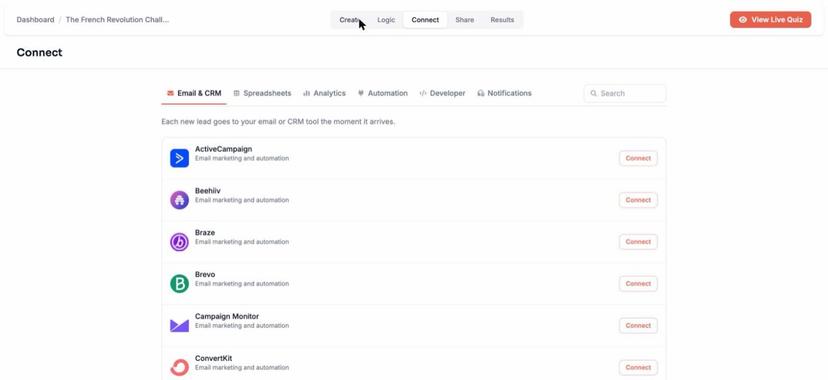
Uplup treats the gate and the segment as settings rather than questions, so the lead lands in your Results tab with its answers and result type, and in your email tool through the Connect tab.
Pricing as of November 15, 2026: Uplup counts responses, and a response is a completed submission. Pro is $19 a month or $190 a year and buys 1,000 responses, the badge off and the 23 CRM and email integrations (there’s a 20% buffer before new responses pause). The plan that fits 2,000 leads is Business at $49 a month or $490 a year, 10,000 responses included and $10 per 1,000 after.
Best for: coaches, course creators and marketers whose email tool is already paid for.
Funnel features that matter:
- Switch lead capture on before the results and choose whether the email step is skippable or required.
- Run the quiz in personality mode, so each answer carries points toward an outcome and every result page doubles as a segment.
- Send the lead to any of 23 CRM and email tools on Pro, with instant lead alerts by email.
Keep in mind: there’s no email sequence builder inside Uplup, and one auto-reply with the results summary is as far as it goes. So the fifth piece lives in your CRM, which is how most teams run it anyway, and a real gap if you wanted the sequence in the same login.
Where it lands: the quiz, the gate and the segment for $19, and $49 at the volume where a quiz stops being an experiment.
2. ScoreApp
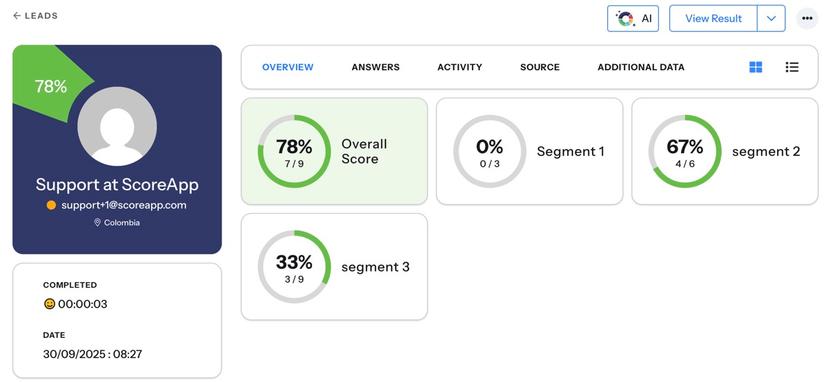
ScoreApp sells the scorecard rather than the quiz, and it’s a genuinely smart frame: a score, a results page and a report as the lead magnet, with a landing page on every scorecard.
Pricing as of November 15, 2026: ScoreApp counts responses, which its support center defines as quiz completions. Starter is $30 a month billed annually or $39 monthly for 3 live scorecards and 100 responses, and there’s no badge on any paid plan. The plan nearest 2,000 leads is Pro at $112 billed annually or $149 monthly for 3,000 responses, and PDF reports, abandon emails and multiple result pages start on Business at $75 or $99.
Best for: coaches and consultants whose offer is “find out where you stand”.
Funnel features that matter:
- Let the AI Builder propose scorecard concepts, then generate the questions, scoring and results pages in seconds.
- Route a lead to one of several result pages by score on Business and up, on your own domain.
- Test in Draft mode as often as you like, with the test data kept out of your live analytics.
Keep in mind: the response add-ons aren’t priced, only described as blocks of 500 or 1,000 “for a small additional fee”, and past 120% of the limit a scorecard stops taking new leads until the next cycle.
Where it lands: if the report is the offer, it’s ScoreApp, with a line in the budget for the add-on at a price you’ll have to ask for.
3. Interact
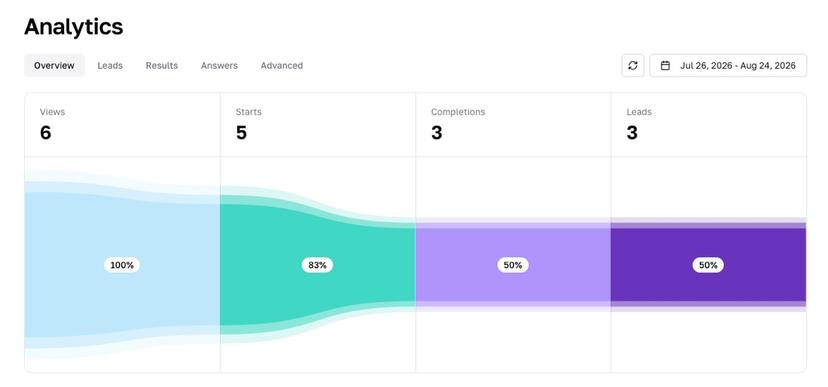
Interact only builds quizzes, and it bills in the unit a list builder cares about: paid plans are priced in email leads a month. So a visitor who finishes and walks past the opt-in costs you nothing.
Pricing as of November 15, 2026: Interact counts email leads on paid plans, and on Free it’s completions. A completion is anyone who reaches the results page, and the free quizzes switch off past 100 a month. Lite is $27 a month paid annually for 500 email leads. The plan that fits 2,000 leads is Growth at $53 a month paid annually, or $89 billed monthly, for 2,000 email leads and a white-labeled quiz.
Best for: creators and coaches running a lead gen quiz into Kit, Mailchimp or ActiveCampaign.
Funnel features that matter:
- Count the funnel in four columns, Views, Starts, Completions and Leads, with Conversion Rate on Growth and Pro.
- Push each lead to 19 integrations from Lite, and to HubSpot, Infusionsoft, Maropost and Ontraport on Pro.
- Draft the quiz from your website address or pasted content with the AI quiz maker, with no card required.
Keep in mind: white-labeling starts at Growth, not Lite, and a quiz is the only thing the tool builds, so there’s no page around it and no email going out of it.
Where it lands: built for this exact job and priced in the unit the job is measured in, which is rarer on this list than it should be.
The first three agree on the gate and disagree on the cap, and the cap is what you’ll feel first. Uplup’s Pro pauses new responses 20% past its 1,000 and Business never stops (it bills $10 per extra 1,000), ScoreApp closes the scorecard to new leads at 120% of the plan until the next cycle, and Interact’s plans page doesn’t say what happens to a paid plan past its lead count. So before you put an ad behind a quiz, find the line on the pricing page about the day it works too well, and if there isn’t one, ask support and keep the reply.
4. involve.me
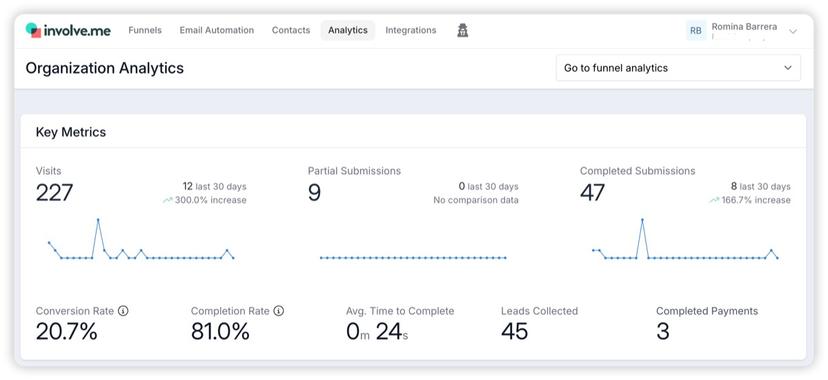
involve.me keeps the follow-up inside the tool: outcome pages, an email gate that adds one-time-code verification from Scale, payments in the funnel and email workflows that branch on the outcome, all under one login.
Pricing as of November 15, 2026: involve.me counts submissions across the whole organization, and a submission is a completed one or a partial one you’ve chosen to reveal, per its help center. Start is $29 a month billed annually or $49 monthly for 3 live funnels. The plan that fits 2,000 leads is Grow at $69 billed annually or $99 monthly for 5 live funnels, branding removal and a different email per outcome. Paid plans don’t print a submission cap, only live funnels, users and AI credits.
Best for: marketers who want the quiz, the emails and a payment step in one subscription.
Funnel features that matter:
- Describe the quiz to the AI Agent and get the question flow, scoring rules and outcome pages from one prompt.
- Send a different email sequence for each outcome on Grow, with branches on answers, scores and outcomes in the workflow builder.
- Take a payment or start a subscription inside the funnel on every paid plan, with one payment platform on Start.
Keep in mind: the one cap the pricing page prints, Free’s 50 submissions or 500 visits, locks the funnel until the next calendar month. The sequences and payments are the reason to pay, because for a quiz alone the quiz-only tools above cost less.
Where it lands: the funnel I’d put a client on when they have no email tool yet and the quiz ends in a payment, since the sequences and the checkout are the parts you’d otherwise be buying twice.
5. Outgrow
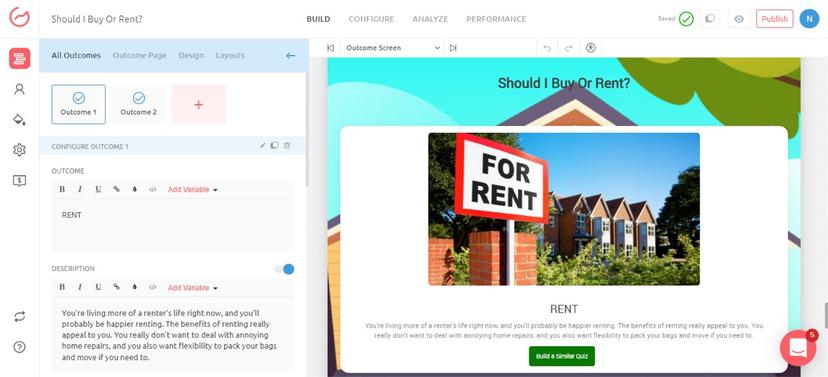
Outgrow is the calculator company of this list: quizzes, assessments, quote calculators and ecommerce recommendations sit on one plan list, which matters when the result your lead wants is a number.
Pricing as of November 15, 2026: Outgrow counts leads, defined on its pricing page as submissions of the lead generation form. Freelancer is $14 a month billed annually or $22 monthly for 250 leads a month. The plan that fits 2,000 leads is Essentials at $95 billed annually or $115 monthly for 7,500 leads a month and a Landing Page content type. Branding doesn’t come off on Essentials without what the page calls the small business incentive, and otherwise it’s Business at $600 billed annually.
Best for: B2B marketers and agencies running ROI and quote calculators next to quizzes.
Funnel features that matter:
- Build an outcome quiz, an assessment or a calculator whose result is a quote or an ROI figure.
- Add a logic jump and conditional messaging from Freelancer Pro, or with the incentive on lower tiers.
- Fire Facebook and Google Analytics codes on every tier, and Facebook and Google pixels on Essentials.
Keep in mind: standard plans come with one native integration, HubSpot, Marketo, Salesforce or Mailchimp among the options. But, the lead meter is generous, since 7,500 leads a month is nearly four of the funnel below.
Where it lands: the calculator funnel’s tool, with a $95 or $600 question to settle before you commit.
6. Marquiz
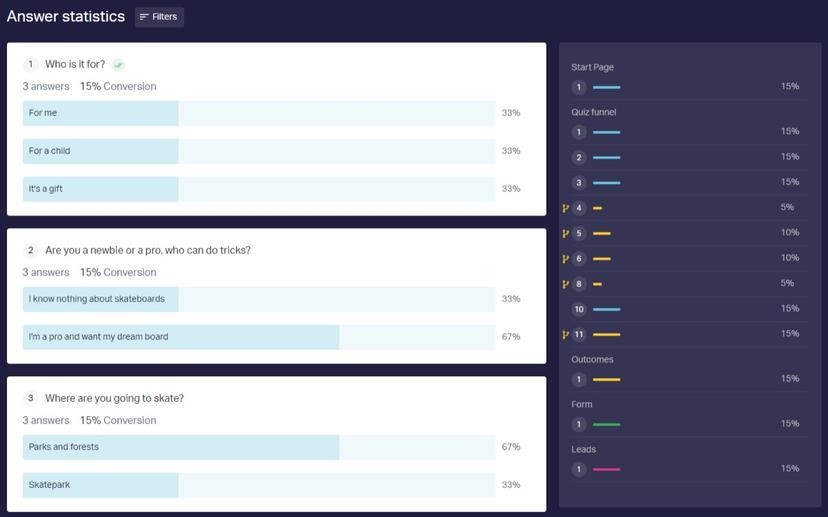
Marquiz was built for ad traffic, and you can literally see it in what sits on every plan, Free included.
Pricing as of November 15, 2026: Marquiz counts leads, meaning the contact details someone leaves when they complete a quiz, and Start is $19 for 30 of them. Plus takes the branding off and is tiered by leads: $39 for 100, $59 for 500, $99 for 1,000 and $249 for 5,000 (the FAQ also mentions a 3,000 tier the grid doesn’t price, and the prices carry no period label, though the caps say per month). Past the tier, leads keep coming in as overage with a card on file, $0.10 each on the 1,000 tier.
Best for: anyone buying clicks, where the quiz is the ad’s landing page and the result needs an offer attached.
Funnel features that matter:
- Place a two-step contact form before the results, or switch the form off, as a setting on every plan.
- Attach a dynamic discount, promo code or bonus to the result, so the ad click acts now.
- Send leads to your CRM, your email tool, 500+ Zapier apps or a webhook, on Free too.
Keep in mind: the AI stops before the results pages, and CSV export and a custom domain wait for Plus. But, the overage model is the smart part, because when the ad does better than planned the quiz keeps collecting at $0.10 a lead instead of going dark, which is exactly what a good ad day needs.
Where it lands: the ad buyer’s quiz, priced the way an ad buyer already thinks, per lead with an overage line.
The three in the middle share a pattern: all three put the lead form where you want it, and the meter decides whether that freedom costs anything. Marquiz lets you switch the form off, Outgrow embeds the form in the quiz, and involve.me gates the result behind an email, with one-time-code verification from Scale. Since Marquiz and Outgrow bill per lead and involve.me prints no paid cap, a visitor who declines the gate costs nothing on any of them. On a tool that counts completions, every skipped email step still uses a unit. So the gate setting and the billing unit are one decision, and I’d make them together.
7. LeadQuizzes
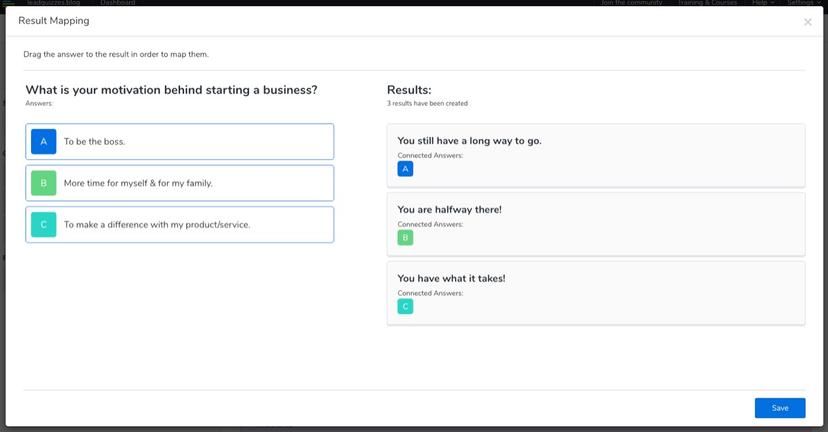
LeadQuizzes gives you the most metered units per dollar on this list, and the catch is in the unit: a response is recorded when a visitor starts any interaction – so a quiz abandoned at question two still spent one.
Pricing as of November 15, 2026: LeadQuizzes counts responses from the first click, as above, and there’s no free plan, a 14-day trial instead. The page shows sale prices with the regular ones struck through: Standard is $37 a month billed annually or $49 monthly for 2,500 responses. The plan that fits the 6,700 starts below is Pro at $74 billed annually or $99 monthly for 5,000 responses, unlimited AI quizzes and email results, with overage at $20 per 500 responses.
Best for: marketers running several quizzes who want volume and results emailed to takers.
Funnel features that matter:
- Paste a URL, a PDF or text and get titles and questions back, then pick Outcome Logic or Scoring Logic.
- Email the result to the quiz taker on Pro and Premium, which is the follow-up piece in one message.
- Connect HubSpot, ActiveCampaign, Mailchimp, ConvertKit, Klaviyo or Shopify directly on Standard, Pro and Premium, plus webhooks.
Keep in mind: because a start is a response, your completion rate is a cost line here, and at 60% completion you buy 1.67 responses per finished quiz before the gate even runs. In return, no other tool here gives you 5,000 quiz starts for $74, so a quiz people finish is a bargain on this meter.
Where it lands: the volume buy, as long as a start is a response you’re happy to pay for.
8. ConvertFlow
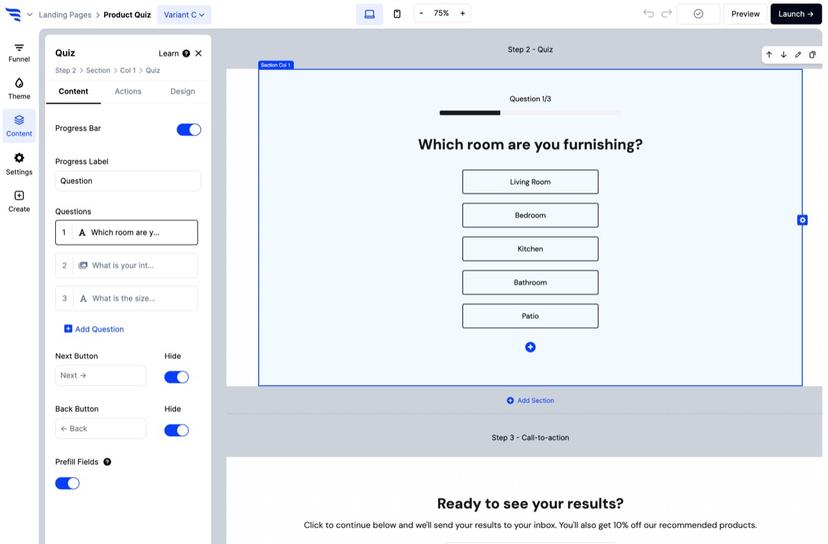
ConvertFlow owns the traffic piece properly: landing pages, quiz funnels, popups and lead forms are campaign types in one builder. So the quiz sits inside the page the ad lands on.
Pricing as of November 15, 2026: ConvertFlow counts monthly funnel views, and its FAQ gives the example: 100,000 visitors to the site and 30,000 who see the popup bills 30,000 views. Personal is $29 a month, or $25 on the annual discount, for 10,000 funnel views and newsletter integrations. The plan that fits the funnel below is Prime at $99, or $83 annually, for 30,000 views, CRM integrations, Zapier, webhooks and “powered by” removed. Past 100% of a tier’s views you’re moved up automatically.
Best for: ecommerce brands, Shopify stores especially, that want the page, the quiz and the popup from one tool.
Funnel features that matter:
- Build the landing page, the quiz and a popup as one funnel campaign, published to your domain or to Shopify.
- Remix 400+ templates with ConvertFlow AI on Personal, and let the AI agent write split tests on Pro.
- Toggle lead capture fields inside the quiz on any paid plan, and add conditional funnel logic and product recommendations on Pro, which makes the segment piece a $299 feature here.
Keep in mind: the view meter charges for everyone who sees the funnel, including the people who never click, and at 100% of a tier you’re moved up without being asked, which is why support suggests buying 20% above the views you expect. Priced per view it’s tiny though, since 10,000 views for $29 is less than a third of a cent each!
Where it lands: the one that owns the landing page with the quiz inside it, and the pick when the page matters as much as the quiz.
9. Perspective
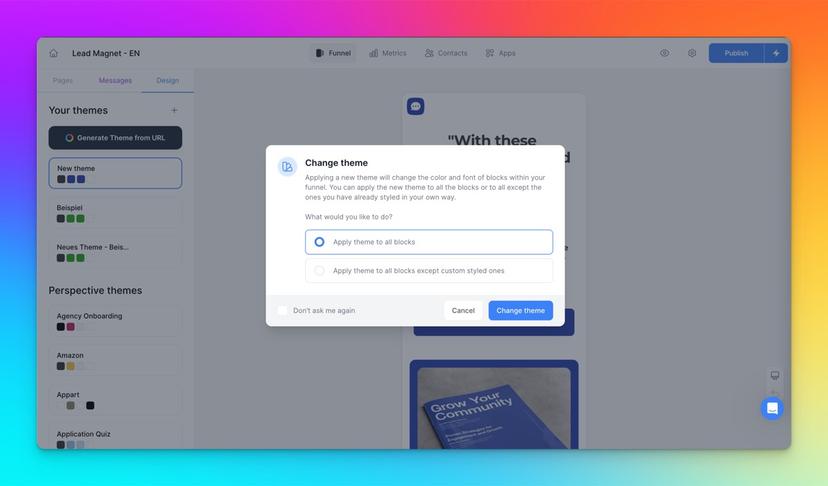
Perspective makes mobile-first funnels with all five pieces built in: the page, the multiple-choice steps, a double opt-in with a one-time code, individual result pages (its name for the outcome screen), and Email Sequences written inside the tool.
Pricing as of November 15, 2026: Perspective counts Generated Leads, one each time someone submits an email or phone number through the funnel, and API and Zapier imports don’t count. Overage bills at a flat $0.25 per extra lead instead of stopping. In dollars, Base is $47 a month billed yearly or $59 monthly for 100 leads, and branding comes off on Grow at $147. The plan nearest 2,000 leads is Expand at $297 billed yearly or $369 monthly for 1,000 leads. Scale, which the help center lists at 2,000 leads, is “Book a demo” with no price.
Best for: recruiters, coaches and agencies running paid social into a phone-shaped funnel.
Funnel features that matter:
- Build the funnel from a prompt with the AI Funnel Builder, or from Claude through Perspective’s free MCP.
- Route to Individual result pages with Advanced Linking Logic that combines conditions with AND and OR.
- Write the follow-up inside the tool with Email Sequences, by AI prompt from Grow.
Keep in mind: the lead meter makes this the priciest line in the cost section, and the pricing page shows a 14-day trial where a free plan would sit, though the home page mentions a free plan without printing what it holds. The $0.25 overage is the honest version of a cap, though, because the funnel never goes dark on a good week.
Where it lands: the mobile funnel with every piece included and a meter that prices it plainly.
The three tools built for paid traffic bill on three different moments of the same visit, and the unit price climbs as the moment gets closer to the money: ConvertFlow charges at the view, under a third of a cent each on Personal; LeadQuizzes at the first click, about 1.5 cents a response on Standard; Perspective when the email lands, 25 cents each past the plan. Which one costs less depends on where your funnel leaks: strong ads and a weak gate want the lead meter, because the vendor carries the leak with you, and a quiz that converts well wants the view meter, because you keep the upside.
10. Pointerpro
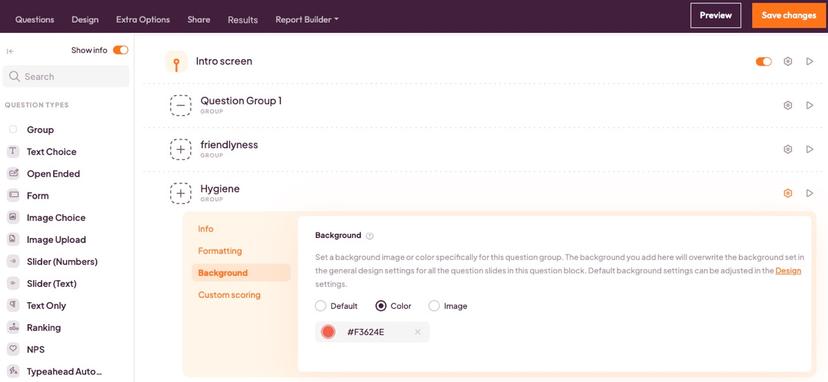
Pointerpro is an assessment platform first, and it’s here because a B2B maturity assessment with a report attached is the quiz funnel where a single lead can be worth more than the $1,099 a year Lite costs.
Pricing as of November 15, 2026: Pointerpro counts monthly responses, which its help center defines as people who completed a questionnaire, and past the limit the responses are stored until you upgrade. Priced in euros and dollars, Lite is $109 a month or $1,099 a year for 5,000 responses, and it doesn’t include personalized reports. The plan that gives each of the 4,000 completions below a personalized feedback page is Core at $279 a month or $2,799 a year, with 5,000 responses and 5,000 feedback pages. PDF reports start on Plus, from $4,999 a year.
Best for: consultancies and B2B teams whose lead magnet is a scored, personalized report.
Funnel features that matter:
- Show each respondent a personalized feedback page on Core, with custom scoring and advice through outcomes.
- Generate the assessment from a prompt, then run the AI simulator, a ghost respondent, to test it.
- Download a personalized PDF report per respondent on Plus, counted only when it’s actually downloaded.
Keep in mind: the entry price is the highest here by a very wide margin, and the report, which is the reason to buy, starts at Core. The meter is friendly to a funnel though, because responses past the limit are stored rather than lost.
Where it lands: the pick when the report is worth more than the quiz.
One funnel, 2,000 leads a month, every tool’s bill
Let me set the assumptions out loud, because the grouping comes from them. It’s one quiz that 6,700 people start a month, 60% finish, so call it 4,000 completions, and half of those give an email at the gate, so 2,000 captured leads, with the badge off wherever that’s sold. Then I picked the plan that fits on each page and grouped the tools by what they count.
Tools that count leads: 2,000 leads is 2,000 units here.
- Interact: Growth, 2,000 email leads exactly, $53 a month paid annually.
- Outgrow: Essentials, 7,500 leads, $95 billed annually or $115 monthly, or Business at $600 when the badge has to come off without the incentive.
- Marquiz: the 1,000 tier at $99 plus 1,000 overage leads at $0.10, so $199, or the 5,000 tier at $249.
- Perspective: Expand at $297 billed yearly plus 1,000 overage leads at $0.25, so $547.
Tools that count completions: 2,000 leads is 4,000 units here, because the 2,000 people who skipped the gate still finished.
- Uplup: Pro’s 1,000, or 1,200 with the buffer, is short, so Business at $49 a month or $490 a year, which is $40.83 a month.
- ScoreApp: Pro’s 3,000 at $112 billed annually or $149 monthly, plus a 1,000-response add-on the page doesn’t price.
- Pointerpro: Lite’s 5,000 at $109 a month or $1,099 a year takes the volume; Core at $279 if every lead gets the feedback page.
- involve.me: prints no paid cap, so Grow at $69 billed annually or $99 monthly with the badge off.
The tool that counts starts: 2,000 leads is 6,700 units.
- LeadQuizzes: Pro’s 5,000 at $74 billed annually plus four 500-response packs at $20, so $154, or Premium’s 15,000 at $186.
The tool that counts views: 2,000 leads is at least 6,700 units, and more if people see the page and don’t start.
- ConvertFlow: Personal’s 10,000 views at $29 covers it with the badge on; Prime at $99, or $83 annually, for the badge off.
Sorted with the badge off and every tool on its annual rate where it sells one, the bills run Uplup $40.83, Interact $53, involve.me $69, ConvertFlow $83, Pointerpro $91.58 with no badge tier named, Outgrow $95 or $600, ScoreApp $112 plus an unpriced add-on, LeadQuizzes $154, Marquiz $199 and Perspective $547, which is about 2 cents a lead at one end and 27 cents at the other.
I love that one funnel produces four different invoices from the same 6,700 people, and that the bill is set by nothing more than which moment the vendor decided to count. It’s the cleanest argument I know for reading the unit before the price – the features decide what you do with the leads, and the unit decides what they cost.
Which quiz funnel software for your setup?
Start from the pieces you already own, and the list shortens itself.
- You own an email tool and nothing else: Uplup for the gate and the outcomes at $19, or ScoreApp when the scorecard is the offer.
- You own a Shopify store and the page matters as much as the quiz: ConvertFlow, which builds the page and the quiz as one campaign, or Marquiz when the quiz is the ad’s landing page, or Uplup’s embed on a product page with the gate on.
- You run client funnels: Interact for list builders, involve.me when the client has payments and sequences to run, ConvertFlow across several client sites.
- You sell to B2B and the result is a report or a number: Pointerpro or Outgrow, with Uplup Business when the segment has to land in HubSpot or Salesforce.
- You sell a course: Uplup or Interact, since both put the gate and the outcome in the quiz and leave the emails where they already live.
Frequently asked questions
What is a quiz funnel?
A quiz funnel is a lead generation quiz with a results gate, a segment and a follow-up attached: a visitor answers questions, gives an email to see the result, and the result decides which emails come next. It differs from a plain quiz in what happens after the last question, which is where the leads and the sales are.
How do you build a quiz funnel?
You build a quiz funnel by writing the three or four outcomes first, then the questions that sort people into them, then the gate, then one follow-up per outcome in your email tool. How to build a quiz funnel walks the nine steps with examples of each.
What makes a quiz funnel convert?
A quiz funnel converts when the result is worth an email and the follow-up matches the result. In practice that means a title that promises a specific answer, 6 to 10 questions so people finish, a gate placed before the result, and a sequence per outcome, so the person who scored Ready isn’t nurtured like a beginner.
How much does quiz funnel software cost?
Quiz funnel software starts between $14 and $109 a month on the ten entry paid plans here, and a working funnel needs more than the entry plan: at 2,000 captured leads a month the bills run from about $41 to $547 on annual billing, seven of them between $41 and $112, and the cost section above walks all ten.
Do you need a landing page builder for a quiz funnel?
No, you don’t. Every tool on this list hosts the quiz on its own link, and an ad can point straight at it. A quiz landing page builder earns its place when you want copy, proof and a video around the quiz, which is what ConvertFlow, ScoreApp, Perspective and Outgrow’s Essentials plan sell as part of the funnel.
Can a quiz funnel run on a free plan?
Yes, for testing: Uplup gives 10 responses a month, Marquiz 10 leads, Pointerpro 20 responses, involve.me 50 submissions or 500 visits, Interact 100 completions, ConvertFlow 5 campaigns, ScoreApp 1 scorecard and 10 responses. LeadQuizzes offers a 14-day trial instead, and Perspective’s pricing page lists a trial only, though its home page mentions a free plan with no limits printed.
Before you buy anything
Take a sheet of paper and write your three outcomes: the one sentence each person should read at the end, and the one email each outcome should trigger. Then open whichever tool you’re trialing and build the three results pages before you write a single question, because if the tool makes that hard, you’ve learned what you needed to know, and it cost you a sheet of paper. In Uplup the outcome mapping lives in the personality quiz maker, and the free plan’s 10 responses are enough to watch three real people land on three different pages.
