Yes or No Wheel - Free Yes No Spinner & Decision Maker
Ask your question, spin the wheel yes or no, and get a random yes or no instantly!
Can't make up your mind? Let the wheel decide yes or no for you. Perfect for quick decisions, settling debates, games, or when you need a little push.
Why Use Our Yes or No Wheel?
Instant Decisions
Spin the wheel yes or no and stop overthinking! This yes no wheel offers Rapid, Standard, or Long spin speeds to match your style.
Two Modes
Choose between classic Yes or No mode, or add a third option with Yes, No, or Maybe mode when you need more flexibility.
Track Your Results
See how many times the wheel decide yes or no landed on each option. View your spin history, export to CSV, and track running totals.
Save Your Wheels
Create a free account to save your yes or no wheel decide configurations and access them from any device.
Multi-Spin Mode
Need multiple decisions? Pick 2, 3, 5, or 10 consecutive spins and let the wheel decide yes or no for each one automatically.
Fair & Random
A truly random yes or no every spin: the generator uses cryptographic randomness (crypto.getRandomValues) for unpredictable, fair results.
When to Spin the Wheel Yes or No
Our yes or no wheel is perfect for any situation where you need a quick, random yes or no. Think of your question, give the yes no wheel a spin, and let it decide for you!
Daily Decisions
- •Should I go to the gym today?
- •Should I order takeout?
- •Should I call in sick?
Games & Fun
- •Truth or dare alternatives
- •Party game decisions
- •Random challenges
Settling Debates
- •Who picks the movie?
- •Where to go for dinner?
- •Which route to take?
Classroom Activities
- •Pop quiz today?
- •Indoor or outdoor recess?
- •Homework check?
Food Choices
- •Pizza tonight?
- •Try the new restaurant?
- •Dessert after dinner?
Quick Picks
- •Watch one more episode?
- •Buy it now?
- •Text them first?
How to Spin a Wheel Yes or No
Using this yes or no wheel spinner is simple and fun!
Ask Your Question
Think of the question you need answered, then select "Yes or No" for binary decisions, or "Yes, No, or Maybe" when you want a third option.
Spin the Wheel
Press the yes or no button in the center (or hit Space). Press Esc to stop early. Watch the wheel of fortune yes or no spin!
Get Your Answer
The wheel lands on your answer. Track results and spin again as many times as you want!
Do More With the Yes No Wheel
The yes or no generator goes well beyond a single spin. Here is how to use each feature.
1. Run a series of spins
Need a random yes or no for several questions at once? Set Multi-Spin to 2, 3, 5, or 10 and the wheel spins consecutively, keeping a running tally of how many times each answer landed.
2. Add Maybe when the call is close
Switch to Yes, No, or Maybe mode and the wheel gains a third segment. Maybe landing is your cue to sleep on it, gather more information, or spin again tomorrow.
3. Track and export your history
Every spin is recorded with a timestamp. Watch the yes and no counts build up, review your full spin history, and export it to CSV when you want the receipts.
4. Share the wheel and collect answers
Save your wheel with a free account and share it, so friends, your team, or your community can spin the same yes no wheel and compare answers. Great for group decisions where everyone wants a turn.
Is It Really 50/50?
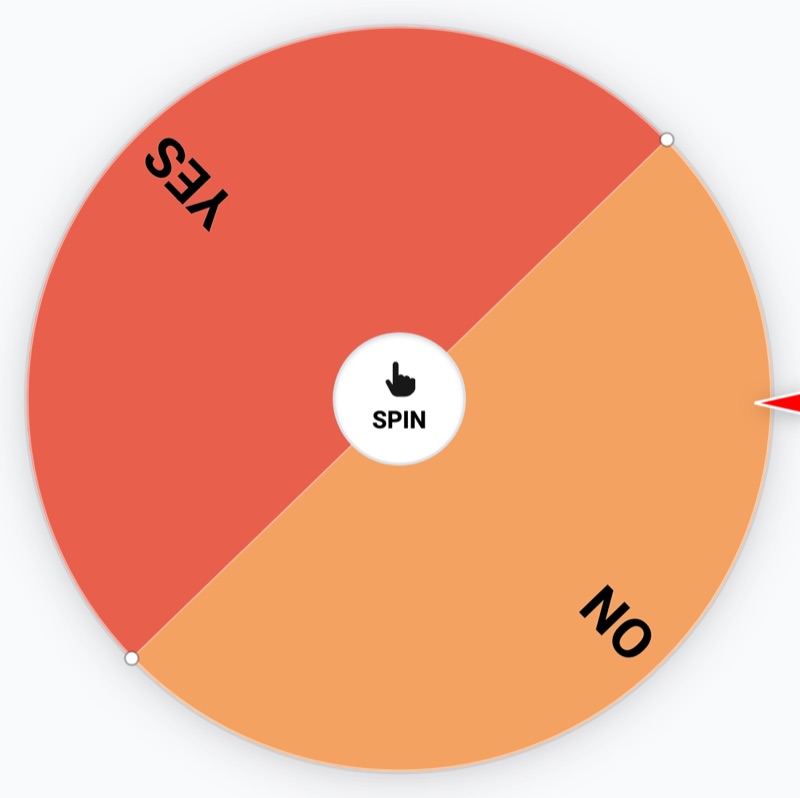
Yes. In classic mode the wheel has exactly two equal segments, and the landing position comes from a cryptographically secure random number generator (the same Web Crypto API used by security software), so each spin is an independent 50/50 event. In Yes, No, or Maybe mode, each of the three answers has an equal one-in-three chance.
Independent also means the wheel has no memory: five Yes results in a row does not make No any more likely on the next spin. If your tally drifts from 50/50 over a handful of spins, that is normal variance, and it evens out over larger numbers of spins. The history tracker lets you verify this yourself.
Better Than a Coin Flip
Why use a boring coin when you can spin the wheel yes or no with style? (Prefer heads or tails? Try our coin flip for yes or no instead.)
Coin Flip
- ✗ Boring and quick
- ✗ Only 2 options
- ✗ No visual appeal
- ✗ Can't track results
- ✗ Need a physical coin
Yes or No Wheel
- ✓ Fun, animated experience
- ✓ 2 or 3 options available
- ✓ Beautiful color themes
- ✓ Full history tracking
- ✓ Works anywhere, any device
More than one question to settle?
Put a whole set to the group instead. Make a quiz in the free quiz maker and share the link, or pick from 200 this or that questions for parties, classrooms, and meetings.
Total Usage
(past 24h)
(past 24h)
Join thousands making decisions with a fun spin of the wheel!
Frequently Asked Questions
Everything you need to know about our yes or no wheel decision maker.
Is there a yes or no button I can just press?
Yes: the SPIN control in the center of the wheel works as a one-press yes or no button. Press it (or hit the Space bar) and the wheel spins to a random yes or no answer in seconds. If you want an even quicker binary result without the animation, our coin flip tool gives you heads or tails in one tap.
Is this like a yes or no oracle or magic 8 ball?
It scratches the same itch with better math. A magic 8 ball or yes no oracle gives you a mystical-feeling answer; the yes or no wheel gives you a provably random one, generated by a cryptographically secure random number generator with exactly equal odds. Ask your question, spin, and get a fair answer you can even track over time.
What is a yes or no wheel?
A yes or no wheel is a digital spinner that randomly selects between "yes" and "no" to help you make decisions. Our yes or no wheel uses cryptographic randomness (crypto.getRandomValues) for truly fair and unpredictable results. It's perfect for when you're stuck between options and need an unbiased way to decide.
How do I spin the wheel yes or no?
Simply click the SPIN button in the center of the wheel, or press the Space bar on your keyboard. The wheel will spin with a smooth animation and randomly land on either Yes or No (or Maybe if you're using that mode). Press Esc at any time to stop the wheel early. You can spin the wheel yes or no as many times as you want - there are no limits!
Is the wheel decide yes or no truly random?
Yes, absolutely! Our wheel decide yes or no tool uses crypto.getRandomValues(), a cryptographically secure random number generator built into modern browsers. This ensures each spin has an exactly equal probability of landing on any segment. The randomness is as fair as it gets - even better than a physical coin flip.
What's the difference between the two modes?
"Yes or No" mode gives you a classic 50/50 binary choice - perfect for simple decisions. "Yes, No, or Maybe" mode adds a third option for situations where you're not ready to commit to a definitive answer. Each option has an equal probability (50/50 or 33/33/33).
What does "Number of Segments" do?
The segment multiplier (1-5) controls how many times the options repeat on the wheel visually. More segments create a busier, more exciting wheel animation. However, the probability remains exactly the same regardless of segment count - it's purely a visual preference. One segment = clean look, five segments = more dynamic spinning.
Is this like wheel of fortune yes or no?
Similar concept, but better! Unlike a basic wheel of fortune yes or no spinner, our tool offers multiple modes (Yes/No or Yes/No/Maybe), result tracking with history, 8 beautiful color themes, sound effects, fullscreen presentation mode, and the ability to save your wheels to your account. All completely free!
Is the yes or no wheel free to use?
100% free! There are no ads, no account required to use, no limits on spins, and no hidden fees. We believe decision-making tools should be accessible to everyone. Create a free account only if you want to save your wheels and access them later.
Can I use spin a wheel yes or no on mobile?
Absolutely! Our spin a wheel yes or no tool is fully responsive and works great on phones, tablets, and desktop computers. The touch-friendly interface makes it easy to spin on any device. You can even use fullscreen mode for a better mobile experience.
Does the yes or no wheel decide save my results?
Results are automatically stored locally in your browser, so you can see your spin history even after refreshing the page. If you create a free account and save your wheel, your results will sync to your account and be accessible from any device.
Can I customize the wheel colors?
Yes! Choose from 8 beautiful color themes including Classic (green/red), Forest, Ocean, Neon, Pastel, Dark, Sunset, and Berry. Each theme gives your yes or no wheel a unique look while maintaining clear visual distinction between Yes, No, and Maybe options.
What are some good uses for the yes or no wheel?
The possibilities are endless! Use it for daily decisions (gym today?), settling debates with friends, party games, classroom activities, food choices, procrastination busting, or any time you're stuck between options. It's more fun than flipping a coin and just as fair!
Can I turn off the sound effects?
Yes, you can toggle sound effects on or off using the Sound button in the settings panel. When enabled, you'll hear satisfying tick sounds as the wheel spins and a celebration sound when it lands. You can also adjust the volume to your preference.
Can I spin the wheel multiple times automatically?
Yes! Use the "Pick" dropdown to select how many consecutive spins you want (1, 2, 3, 5, or 10). The wheel will automatically spin multiple times and record each result in your history. Perfect for making a series of decisions or seeing how the odds play out over multiple spins.
Can I change the spin speed?
Absolutely! Choose from three speed options: Rapid for quick decisions, Standard for a balanced experience, or Long for dramatic, suspenseful spins. The speed setting works with both single and multi-spin modes.
Can I export my spin results?
Yes! Click the "Export" button in the History section to download your results as a CSV file. This includes the result (Yes/No/Maybe), date, and time of each spin - perfect for record-keeping or analysis.
What keyboard shortcuts are available?
Press Space to spin the wheel and Esc to stop it early. These shortcuts work in both regular and fullscreen modes, making it quick and easy to control the wheel without using your mouse.
Ready to make a decision? Spin the wheel yes or no now and let fate decide!
