
Typeform Alternatives for Quizzes: 9 Tools That Keep the Conversational Feel (2026)

A Typeform alternative for quizzes has one job beyond keeping the one-question-at-a-time feel that made you pick Typeform in the first place: it has to stop counting responses against you, because the email Typeform sends at 100% of your limit puts your forms in Private mode until next month or an upgrade, and the quiz you built over the weekend goes dark on a Tuesday. The fix is more specific than it looks, since the conversation is a design choice any tool can copy while the meter is a pricing choice each vendor made differently.
What follows is nine Typeform competitors compared on feel, on responses per dollar and on how much of the quiz logic is a setting rather than branching you wire by hand, with every price read on November 15, 2026, and pricing the meters side by side was more fun than it had any right to be.
Start with these three if Typeform’s response cap is the problem
- Uplup matches Typeform’s Plus plan on responses for a third of the price, badge off at $19 instead of $56, with scoring, outcomes and the lead gate as settings on every plan.
- Youform is the closest copy of the Typeform experience with no response cap: unlimited forms and responses on Free under fair use, one question at a time, badge off at $20 a month billed yearly.
- Fillout gives you 1,000 responses a month for $0, with a Quiz mode on the free plan, if you can live with the badge until Pro at $40 a month billed yearly.
Typeform’s feel, and Typeform’s meter
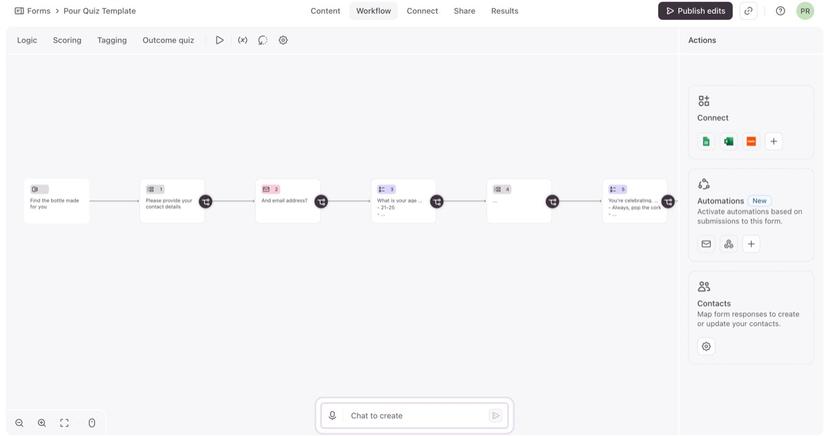
Typeform is the online form builder that asks one question per screen, and it’s the reason “conversational form” is a phrase. The themes make a form look designed, the logic runs to branching, scores, calculations and recall, the integrations run from HubSpot and Salesforce to 500+ more through Zapier, and Typeform AI drafts a form from a description on every plan. Integrations and API access are on the free plan too, which plenty of paid tools can’t say!
As of November 15, 2026, billed yearly, Free is $0 for unlimited forms and 10 responses a month across all your forms. Basic is $28 a month for 100 responses, Plus $56 for 1,000 responses, 3 users and “Remove Typeform branding”, Business $91 for 10,000, and Growth Flow $266; monthly billing is $39, $79 and $129.
The meter is the part that costs you: the allowance is shared across every form, resets monthly without rolling over, and 100% is that email. The badge comes off at Plus, so the first clean quiz is $56 a month billed yearly.
Why people look for a Typeform alternative
Four reasons come up, and the meter is only the first of them.
The meter stops the quiz. The Typeform free plan’s 10 responses a month is a demo, and Basic’s 100 is one good week for a quiz that gets shared.
The badge is a $56 decision. Nothing between Free and Plus removes the branding.
The quiz logic lives in the logic panel. Typeform’s quiz building is good, but it’s rules you maintain per question, and a team that lives in quizzes wants a scoring mode they pick once.
The follow-up lives somewhere else. The lead gate, the per-outcome email and the CRM push are all things you wire up outside the form.
The number that should decide this is the price of 1,000 responses with the badge off, not the free count, because the first month a quiz actually works is the month it blows through every free plan here.
How I judged a Typeform alternative for quizzes
I scored each tool on six things, and the second one (what the meter counts) did most of the sorting.
Keeps the conversational feel: one question per screen has to be a mode you switch on, not a page break you add 20 times.
Responses per dollar: what the free plan and the first paid plan actually count, and whether hitting the cap pauses the quiz or locks it, which matters more than the number itself.
Branding removal tier: if “how to remove Powered by Typeform” is what brought you here, the answer on Typeform is Plus, and three tools below do it at $19, $20 and $24.
Quiz scoring and outcomes built in: a scoring mode you pick once, or a calculated field and a logic block you assemble and then maintain per question.
Lead capture: an email step before the results that’s a setting, not an email question you add and make required yourself.
AI creation: Typeform AI drafts a form from a description, Uplup will also start from a page or a file you already have, and involve.me and Interact build a branded quiz from a prompt. I’d weight this one lowest, since it saves the first ten minutes and the other five decide the next twelve months.
Every price and cap below is what the vendor’s own pricing or help page said on November 15, 2026, the cost section’s math is mine and redone from those figures, and where a page is silent (Formbricks doesn’t print a price at all) I say so instead of guessing.
Is there a Typeform alternative with more free responses?
Yes, by a wide margin: Youform and Tally put unlimited responses on their free plans under fair use, Fillout gives you 1,000 a month and Interact 100 completions, against Typeform’s 10. The trade is that each of them meters something, just not always responses.
Here’s the clean version: each vendor picked one moment of the visit to count, and that one choice is most of the price. Typeform, Uplup, Fillout and Heyflow count the finished response (Heyflow calls it “a qualified lead or form submission”), involve.me counts submissions and visits, 50 or 500 a month on Free, Paperform counts submissions, Interact counts completions on Free and email leads once you pay, and Youform and Tally count nothing at all and lean on fair use.
What happens at the cap is where they really differ: Typeform goes Private, Interact disables the quizzes until the next billing period, and involve.me locks the funnels until the next calendar month – and locked is the harsh one, because a locked funnel is a dead page for everyone who clicks your link, including the people you paid to send there. Fillout goes the other way: its FAQ says forms still collect when you go over, and the count resets on the 1st, which is the kind version of a cap. Uplup’s Pro plan gives a 20% grace buffer before anything pauses.
Each free plan holds back a different thing, Youform the clean footer, Fillout the second ending, Uplup the room, so for a quiz you’re still testing, ask which of the three you can live without for a month and take that free plan.
Nine alternatives on the five things that matter
Nine side by side, and the second column and the fourth tell on each other: the two unlimited free plans are the two where the quiz is assembled from calculations, so free room and a quiz mode don’t travel together here (“assembled” means logic and calculations, no quiz mode).
| Tool | Responses on the free plan | Branding removal at | Quiz scoring built in | One question at a time | Entry price |
|---|---|---|---|---|---|
| Uplup | 10 a month | Pro, $19 | Four modes | Card mode | $19 a month |
| Youform | Unlimited | Pro, $20 yearly | Scores and endings | Yes | $20 a month yearly |
| Fillout | 1,000 a month | Pro, $40 yearly | Quiz mode | Page per question | $15 a month yearly |
| Paperform | 30 a month | Pro, $49 yearly | Scoring, Pro and up | Guided Mode | $49 a month yearly |
| involve.me | 50 submissions or 500 visits | Grow, $69 yearly | Scoring and outcomes | Page doesn’t say | $29 a month yearly |
| Interact | 100 completions | Growth, $53 yearly | Scored and personality | Page doesn’t say | $27 a month yearly |
| Formbricks | No cloud plan priced | Page doesn’t say | Assembled | Page doesn’t say | No price list |
| Heyflow | None; 14-day trial | Growth, $99 yearly | Not described | Multi-step; page doesn’t say | $29 a month yearly |
| Tally | Unlimited | Pro, $24 yearly | Assembled | Page per question | $24 a month yearly |
The 9 best Typeform alternatives for quizzes
If you’re holding the Private-mode email, the first three are for you; the middle three sell the quiz as a funnel, and the last three are each here for a different reason: owning the stack, ad traffic and a $0 budget.
1. Uplup
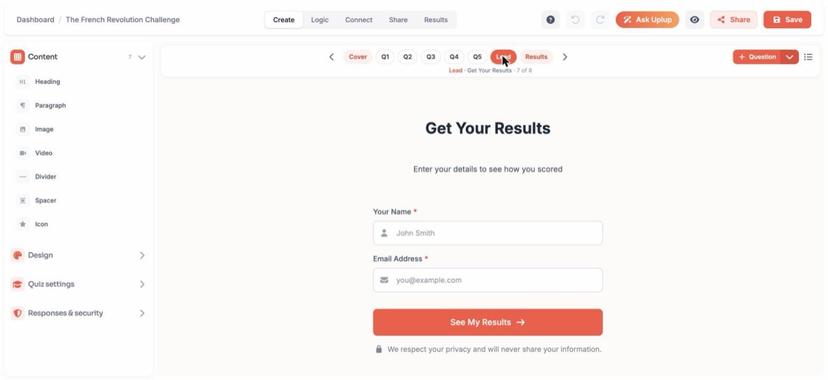
Uplup has the Typeform shape built in as card mode, and the quiz parts are settings rather than logic: four scoring modes, personality included, and a lead gate before the results.
Made for: creators and marketers whose Typeform was only ever a quiz.
What you pay (read November 15, 2026): Free is $0 for 10 responses a month with the badge on. Pro is the plan to hold against Plus: $19 a month or $190 a year buys the same 1,000 responses, badge off, with a 20% grace buffer and 23 CRM and email integrations, and Business takes it to 10,000 for $49, then $10 per 1,000.
Three things you can do on day one:
- Switch between card mode and classic mode with one setting.
- Turn on the results gate, choose whether a taker can skip it, and the leads show up in the dashboard on Free.
- Paste your Typeform’s questions into Ask Uplup, let it draft the quiz, then tell it which scoring mode to use.
The catch: 10 free responses a month is exactly Typeform’s free count, so Free is for building and real traffic is a $19 decision.
Would I switch? For a quiz, yes: the one-question screen is the same and the scoring stops being a logic panel; what you give up is Typeform’s theme library.
2. Youform
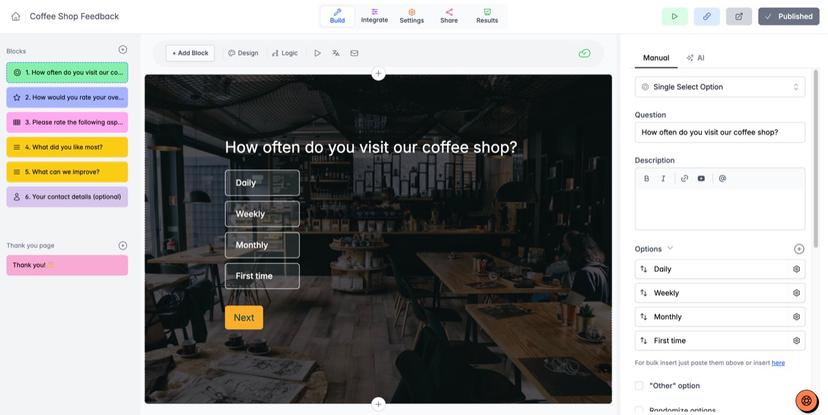
Youform is the closest thing to Typeform here, and its own comparison page says so: “a welcoming, one-question-at-a-time experience with unlimited forms and responses on the free plan.”
Made for: anyone who wants the exact Typeform feel and no response count.
What you pay (read November 15, 2026): Free is $0 for unlimited forms and responses under fair use, scores and calculations included, badge on, and video and audio responses are the one metered thing, at 25 a month. Pro is $20 a month billed yearly or $29 monthly and removes the branding; Business is $60 or $89.
Three things you can do on day one:
- Paste a public Typeform link into the converter and get a Youform version in one click.
- Add a calculation that totals the score, then give each custom ending a result range so every taker lands on theirs.
- Describe the form and let Youform AI draft the questions.
The catch: quizzes are calculations and endings rather than a quiz mode, and the pages don’t describe a results gate, so lead capture is an email question you place yourself.
Would I switch? If the feel is the only thing keeping you on Typeform, yes, today: it’s the same one-question screen with the meter gone, and the converter means you’re not retyping a single question.
3. Fillout
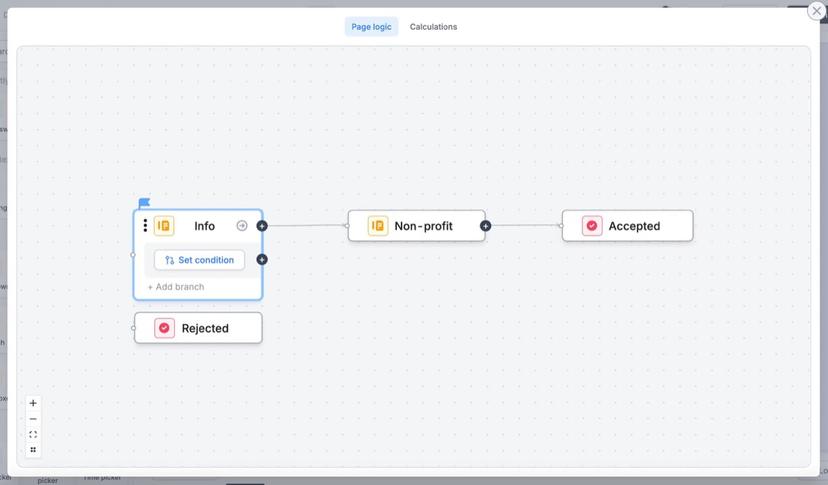
Fillout has the biggest hard free number here, 1,000 responses a month for $0, and a real Quiz mode where you check the correct answer and assign points.
Made for: teams that want a quiz next to scheduling, payments and PDF generation.
What you pay (read November 15, 2026): Free is $0 for 1,000 responses a month with scoring and a badge. Starter is $15 a month billed yearly for 2,000 responses and multiple endings with “Light branding”, and Pro is $40 for 5,000 and “Remove all branding”.
Three things you can do on day one:
- Turn on Quiz mode, check the correct answer, and show the score with @.
- Build an outcome quiz from one calculation per result and a page-logic branch per ending.
- Import the Typeform in two clicks from Fillout’s import option, then switch Quiz mode on for the imported questions.
The catch: no conversational mode, since one question per screen means a page per question, and multiple endings start on Starter.
Would I switch? For volume, 100% yes, because the form keeps collecting when you pass the cap instead of going dark on you; for the feel, no, because Fillout is a page builder.
4. Paperform
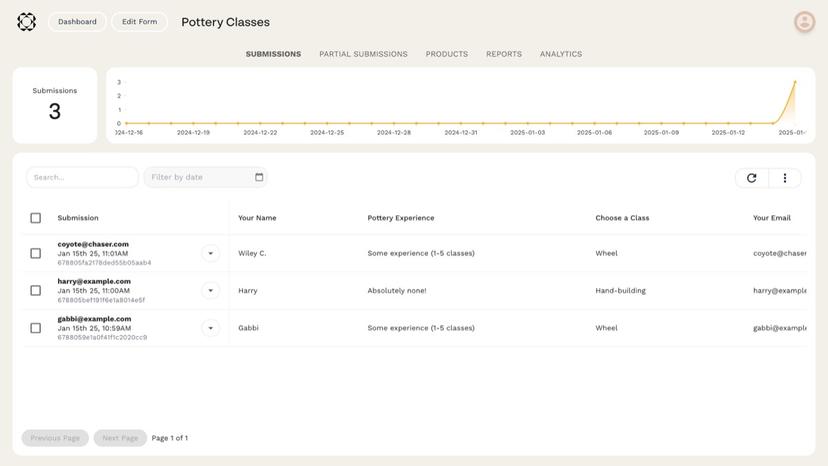
Paperform writes a form like a document, then offers a one-question-at-a-time Guided Mode for the Typeform feel, so one build gives you both shapes.
Made for: small businesses running bookings, orders and the occasional quiz out of one form.
What you pay (read November 15, 2026): Free is $0 for 30 submissions a month, badge on, no scoring. Pro is $49 a month billed annually or $59 monthly for unlimited submissions, scoring, calculations and branding removal, and Business is $124 or $149.
Three things you can do on day one:
- Turn on Scoring under Configure, then Form Behaviour, and add rules in the shape question, operator, result.
- Pipe the running total into the success screen, email, PDF or webhook with {{ score }}.
- Flip the form into Guided Mode so it asks one question at a time.
The catch: 30 free submissions a month is three times Typeform’s 10 and still a demo, and scoring is off until Pro, so the quiz itself is a $49 feature.
Would I switch? Only if the form does more than quiz: $49 buys unlimited submissions and the scoring in one bundle, so you’re paying for the form that takes the bookings and orders, not for a better quiz engine.
5. involve.me
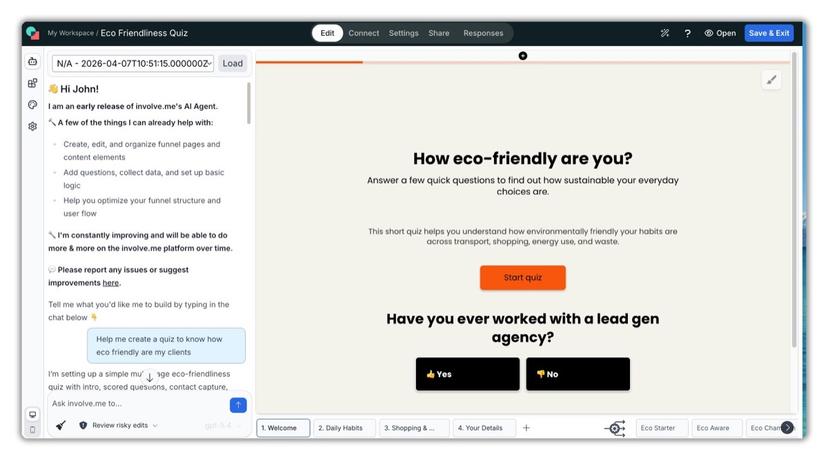
involve.me is the one here that will also take the payment and send the follow-up, which is why a Typeform user who’s been bolting a checkout and an email tool onto a form ends up looking at it.
Made for: anyone whose Typeform has a payment link and an email sequence hanging off it.
What you pay (read November 15, 2026): Free is $0 for up to 50 submissions or 500 visits a month. Start is $29 a month on yearly billing, $49 monthly, and holds 3 live funnels; Grow is $69, or $99 monthly, for 5 funnels with the branding off and an email per outcome.
Three things you can do on day one:
- Assign positive or negative values to each answer and route each lead to the matching outcome page.
- Gate the personalized result behind an email, with OTP verification for email and phone.
- Put a payment step inside the quiz, so a paid assessment doesn’t need a checkout page.
The catch: the free plan locks the funnel at its cap rather than pausing it, and the plan that removes the badge is $69, above Typeform’s Plus.
Would I switch? Not for the quiz alone, since Typeform’s Outcome quiz routes for less; yes once the email tool and the checkout are the real shopping list, which is what the $69 buys.
6. Interact
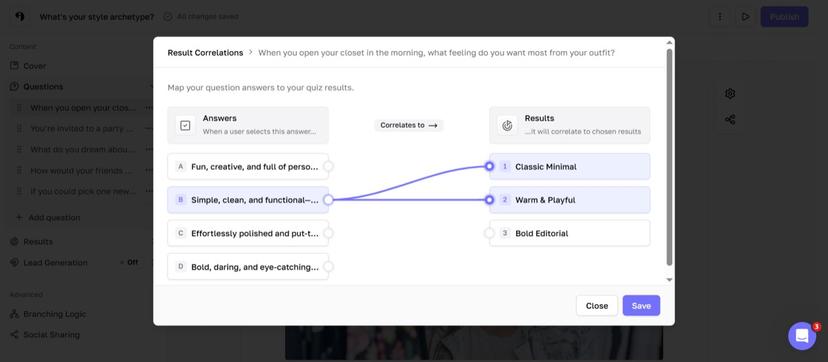
Interact is the quiz-only tool here, and for anyone tired of Typeform’s logic panel that’s the appeal: personality, assessment and scored are types you pick on Free, branching and categories arrive with paid plans, and the opt-in form is part of the quiz rather than a question you place.
Made for: list builders and coaches whose quiz exists to grow an email list.
What you pay (read November 15, 2026): Free is $0 forever for 5 quizzes and 100 completions a month, badge on, no integrations. Paid plans meter email leads: Lite, $27 a month paid annually, buys 500 a month and the email integrations, Growth $53 buys 2,000 and a white-labeled quiz, Pro $125 buys 8,000, and the page prints annual prices only.
Three things you can do on day one:
- Set Answer Scores on every choice, then draw Score Ranges that each point at a result page.
- Add the opt-in form with email as the one required field, and decide whether people can skip it.
- Let the AI quiz maker draft the quiz, then check that its Score Ranges cover every possible total, because the ranges have to before the quiz works.
The catch: $53 a month before the badge comes off puts Interact within a few dollars of the Plus plan you’re leaving, and the day you need something that isn’t a quiz you’re shopping again.
Would I switch? Definitely for a lead quiz, where the scoring, the opt-in and the email push are exactly what you’d hand-build in Typeform.
The middle three all land within $15 of Typeform’s Plus once the badge is off ($49, $69 and $53 against $56), and that’s fair, because none of them is really selling a form. Paperform sells bookings and orders, involve.me sells a checkout and an email sequence, Interact sells an email list, and the quiz is the front door to each. So if the Private-mode email is your whole complaint, skip the middle three; if the quiz was always going to need a checkout or a list behind it, this is where you shop.
7. Formbricks
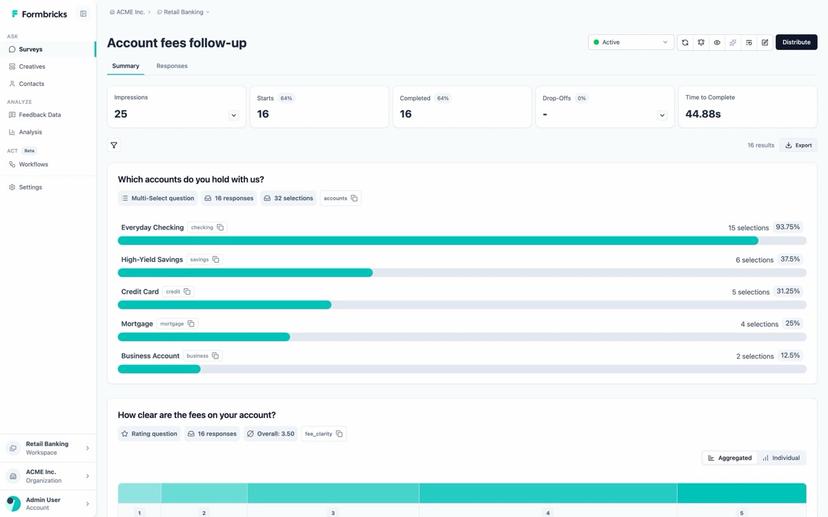
Formbricks is an open source survey platform first, and its pricing page says so: the Community Edition is “free to use, forever” on your own servers, and the paid Experience Suite is quoted after a call, because “We don’t publish a price list.”
Made for: product teams who want surveys on infrastructure they control.
What you pay (read November 15, 2026): $0 for the Community Edition under the AGPLv3 license, self-hosted. The Experience Suite is an annual license priced by responses collected each year, workspaces and term, with a 15-day trial license. The page lists no cloud free plan and no response count, though the docs quickstart still mentions a free Cloud plan.
Three things you can do on day one:
- Build a scored quiz the documented way: a score variable, a Set value rule of score + 1 per correct answer, and block logic to the pass ending.
- Recall the score into the ending text with @, and put the fail ending above the pass ending, because endings are reached in order.
- Run the link survey from your own database, API and webhooks included.
The catch: there’s no quiz mode and no lead gate, and the public pages leave the price and the way a survey shows its questions for the sales call.
Would I switch? No, not for a marketing quiz; this is the Typeform replacement for a product team that wants to own the stack, closer to Typeform’s Enterprise tier than to Plus.
8. Heyflow
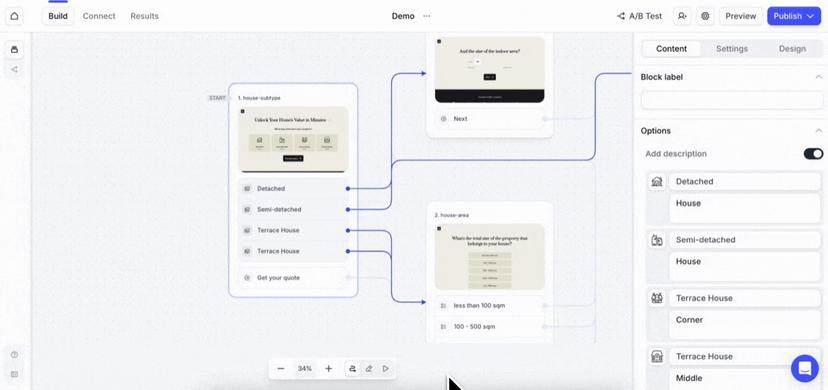
Heyflow sells to paid-traffic teams: multi-step funnels, quizzes and advertorial pages, priced in leads rather than forms.
Made for: performance marketers running ads into a quiz funnel.
What you pay (read November 15, 2026): there’s no free plan, only a 14-day trial. In dollars and billed yearly, Starter is $29 a month for 50 responses, Growth $99 for 250 responses and “Remove Heyflow branding”, Scale $299 for 1,000 responses, and Enterprise from $1,100; month to month it’s $39, $149 and $369. Extra responses are $0.20 a lead billed yearly or $0.24 monthly, the yearly toggle saves up to 34%, and the page prices in euros as well.
Three things you can do on day one:
- Generate a complete funnel from one prompt, tracking and logic included.
- Run a native A/B test between two versions of the quiz on Scale.
- Validate phone numbers with an SMS one-time code on Growth.
The catch: 50 responses for $29 billed yearly, or $39 monthly, is the thinnest responses-per-dollar here, and scoring isn’t described on the pricing or home pages, so a scored quiz is conditional logic you design.
Would I switch? Only if the quiz is the landing page for an ad budget; otherwise Typeform’s Plus gives you 1,000 responses for $56 and Heyflow’s Scale wants $299 for the same thousand, both billed yearly.
9. Tally
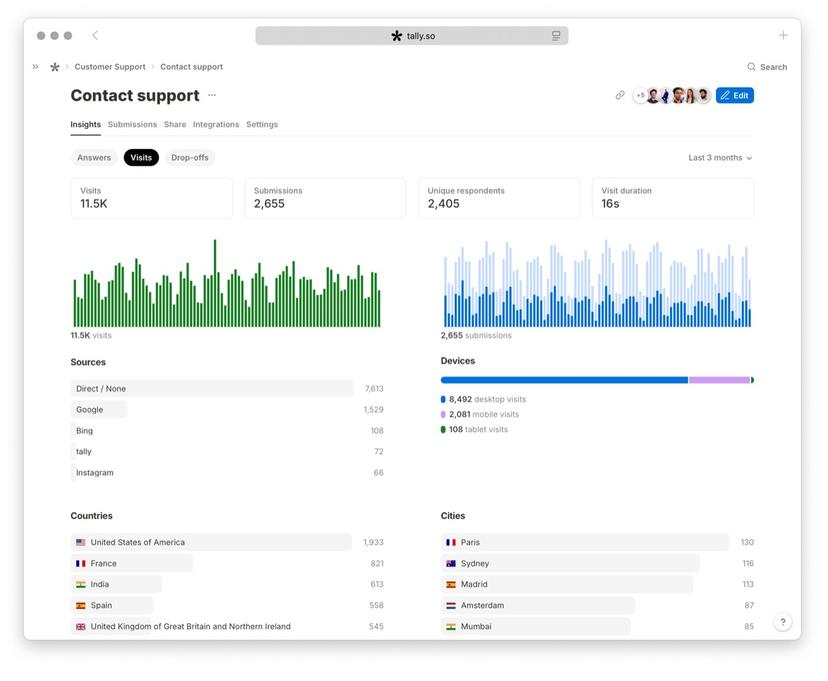
Tally is the free-and-unlimited pick, and I mean the words literally: unlimited forms and submissions on the free plan within fair use.
Made for: people who’d rather type a form than drag one, and anyone who needs the meter gone and the price to stay $0.
What you pay (read November 15, 2026): Free is $0 with Tally branding. Pro is $24 a month on the yearly toggle and removes the branding and adds custom domains, partial submissions, custom CSS and respondent emails; Business is $74 a month billed yearly, or $89 monthly, with email verification.
Three things you can do on day one:
- Build the score the way Tally’s help page lays it out, a calculated field and a logic block per question, with a pass and a fail ending.
- Keep payments, signatures and file uploads on the $0 plan, with no meter anywhere near them.
- Make it one question per page by typing /page after each question.
The catch: no quiz mode and no conversational mode, both are assembled, and emailing respondents their result waits for Pro.
Would I switch? Yes if the budget is $0, because the form never stops accepting answers; I’d stay on Typeform if the one-screen feel is the reason the form exists, since Tally’s version is page breaks.
The Plus-plan month: 1,000 responses, badge off, on each
The volume to price is the one Typeform’s Plus plan is built around, because I’d imagine that’s the plan most quiz people leave from: one quiz, 1,000 completed responses a month, badge off, the lowest plan on each vendor’s page that does both.
- Typeform: Plus at $56 a month billed yearly, $79 monthly; 1,000 is exactly the allowance.
- Uplup: Pro at $19 a month, or $190 a year on the pricing page, so $15.83 on the yearly rate.
- Youform: Pro at $20 billed yearly, $29 monthly, unlimited responses.
- Fillout: Free carries all 1,000 with the badge for $0! “Remove all branding” is Pro at $40 billed yearly, since Starter’s $15 is “Light branding”.
- Paperform: Pro at $49 billed yearly, $59 monthly, unlimited submissions.
- involve.me: Grow at $69 billed yearly, $99 monthly; no submission cap is printed for paid plans.
- Interact: Growth at $53 paid annually, because white-labeling starts there and Lite’s 500 leads is half the quiz.
- Formbricks: $0 self-hosted plus your own server, or a quote; the page doesn’t say what branding removal costs.
- Heyflow: Scale at $299 billed yearly, or Growth at $99 billed yearly plus 750 extra responses at $0.20, which is $150 more, so $249; on monthly billing that’s $369, or $149 plus $180, so $329.
- Tally: Pro at $24 a month on the yearly toggle, unlimited, branding off.
Sort those and you get $15.83, $20, $24, $40, $49, $53, $56, $69 and $249 for the same 1,000 answers with the same clean footer. The whole spread comes down to one decision per vendor, and that’s the part of this I enjoy most: what to bundle with the badge. The three that sell the footer alone land under $25, everything that bundles it with something else lands between $40 and $249, and Typeform’s $56 sits in that second group with the design as its bundle. The $0 lines, if the meter has to go and the price has to stay zero, are Fillout with its badge and Youform and Tally with theirs.
The cases where I’d keep paying Typeform
Four things would keep me on Typeform, and the first comes up more than you’d think.
A brand piece with budget behind it wants the custom subdomain and clean branding on Plus, plus the premium themes and brand kit the compare table lists, and that polish is the one thing none of the nine is selling.
A team already on Typeform’s native integrations (HubSpot, Salesforce, Pipedrive, Slack and Calendly among them, with API access on every plan and webhooks listed from Basic) would be paying the switching cost in plumbing, not in the form.
Video questions and video answers are metered on Growth Flow, and the only tool here that touches them at all is Youform with 25 video or audio answers a month on Free.
And SSO, HIPAA or a US or EU data center is an Enterprise conversation on Typeform and a different decision from a $56 badge.
Moving a Typeform quiz without losing the responses
The move is four plain steps, and the first is the one people skip.
- Export the responses first, because Typeform includes exports on every plan and the answers never follow the form; its FAQ says forms and responses aren’t deleted when you downgrade.
- Rebuild the questions: Youform converts a public Typeform link in one click, Fillout imports one in two, and Uplup drafts the quiz from a document of pasted questions.
- Map the logic to scoring: a Score quiz becomes the scored mode or the pass or fail mode, an Outcome quiz a personality mode with outcome mapping, and any other branching becomes conditional logic – the pattern is written up in adding conditional logic to a form.
- Redirect the old link (the bio, the email footer, the embed) and leave the Typeform published for a month on the free plan’s 10 responses for anyone still holding the old link.
Frequently asked questions
Is Typeform free?
Yes, it is, with a meter on it. The Typeform free plan is $0 for unlimited forms, logic with scores and calculations, custom endings, exports and Typeform AI, and allows 10 responses a month across all your forms as of November 15, 2026; at 100% your forms go Private until next month or an upgrade.
How much does Typeform cost?
Typeform’s paid plans on November 15, 2026 are Basic, Plus and Business at $28, $56 and $91 a month billed yearly for 100, 1,000 and 10,000 responses, or $39, $79 and $129 month to month; branding removal starts at Plus, Growth Flow is $266 billed yearly for 10,000, and Enterprise is quoted.
Does Typeform have a quiz mode with scoring?
Yes, it has two. Typeform’s help center separates a Score quiz from an Outcome quiz, the type it describes for product recommendations and personality quizzes, and the plans page lists scores, calculations and custom endings on the free plan. Both are logic rules per question rather than a mode you switch on.
Typeform vs Jotform for quizzes: which one?
Pick Typeform for a conversational outcome or score quiz and Jotform when the quiz sits inside a bigger form with payments or signatures. As of November 15, 2026, Jotform’s free Starter allows 5 forms and 100 submissions a month, and Bronze is $34 a month billed yearly for 1,000 submissions with branding removed, against Typeform’s 10 free and $56 Plus.
What is the closest Typeform alternative in look and feel?
Youform comes closest: one question per screen by default, unlimited forms and responses on Free, a one-click converter for a public Typeform link, and the badge off at $20 a month billed yearly. Uplup’s card mode gives the same one-question screen with the scoring modes and the lead gate as settings.
Can I move my Typeform quizzes and responses to another tool?
Yes, and the part that doesn’t move is the responses, so export them first (Typeform includes exports on every plan and keeps your forms and answers when you downgrade). The questions move by converter on Youform and Fillout or by handing them to the new tool’s AI to redraft, and the scoring is rebuilt as a mode or as calculations.
This week’s experiment
Pick the Typeform that gets the most traffic and run a split for seven days: build the same quiz in card mode on a free Uplup account with the results gate on, and point one channel, the bio link say, at the new one. Ten free responses isn’t a lot, but it’s enough to answer the question this decision turns on: do people finish a one-screen quiz at the same rate when the screen isn’t Typeform’s? If completion holds, you’ve found your replacement; if it drops, you’ve learned the design was worth the $56, and that’s worth knowing too.
