
9 Google Forms Alternatives for Quizzes (Free and Paid, 2026)

The best Google Forms alternatives for quizzes keep the auto-grading you already have and add the three things Google Forms won’t do: collect an email without a Google sign-in, send different people to different results, and look like you instead of Google. Most quizzes built in Google Forms run out of road on the same day. The scores land in the sheet, then somebody asks for the lead list, a “you got The Planner” result or the brand colors, and there’s no setting for any of it. I enjoy this comparison more than most, because the moment is so specific that the ranking nearly writes itself.
So, here are nine alternatives to Google Forms ranked by what happens on that day, with every price read off the vendor’s live page on November 15, 2026 and one worked cost at 300 responses a month.
The three I’d move a Google Forms quiz to first
- Uplup is the one for a quiz that’s supposed to bring back names, with every scoring mode and lead capture on the free plan, then 1,000 responses a month for $19.
- Tally replaces the spreadsheet with a calculated field: no cap on forms or submissions, a score you assemble from logic blocks, and Tally’s branding on until $24 a month billed yearly.
- Microsoft Forms is the straight swap for a classroom or an Office household, with auto-grading, points per question and a 200-response ceiling per form on a free personal account.
What a Google Forms replacement has to keep, and what it should add
It has to keep three things or it’s a downgrade, and add four or it’s a sideways move. A tool earns the switch from Google Forms on the day it can take an email without a Google sign-in and send people to different endings; everything else is polish, and I say that as someone who likes polish.
Keep the auto-grading: points per question, an answer key and a score the taker sees right away, with no spreadsheet formula in between.
Keep the free entry: a real free plan you can publish on, not a trial that ends on day 14.
Keep the easy sharing: a link, a QR code and an embed, so the quiz goes where the people already are.
Add a lead gate without a Google sign-in: an optional or required email step before the results that doesn’t make a stranger log into anything.
Add outcome and personality logic: results that map to a type or a recommendation, so “which plan fits you” is a quiz and not a form with a formula hiding behind it.
Add design and embed control: your colors, your logo, no vendor badge, and an embed that sits inside your own page.
Add AI quiz generation from existing material: you already have the lesson plan, the product page or the PDF, so the tool should draft the quiz from that instead of making you type twenty questions. Uplup and Jotform do it from a file, Microsoft Forms (with a Copilot license) and forms.app do it from a prompt, and if “AI Google Form builder” is the search that brought you here, this is the feature behind it.
I read every pricing and help page linked below on November 15, 2026, recomputed every number in the cost section from what those pages show, and where a page doesn’t say something (SurveyMonkey no longer prints its free response cap, for one) I write that it doesn’t say rather than filling the gap.
How do you make a quiz in Google Forms, and where does it stop?
You make a quiz in Google Forms by flipping one switch in Settings, and it stops once you need to know who took it without making them sign in to Google. The grading is honestly great for free, which is why so many quizzes start here. Here’s how it works:
- Click Settings at the top of the form and turn on Make this a quiz.
- On each question, click Answer key, pick the correct answer and set the point value. Answer keys work on short answer, multiple choice, checkboxes, dropdown and the two grid types.
- Optional: Add answer feedback attaches an explanation or a YouTube link to a right or wrong answer.
- Under Respondent settings, choose whether people see missed questions, correct answers and point values.
- Under Release grades, pick Immediately after each submission or Later, after manual review.
That’s a complete graded quiz in about five minutes, for $0, and that’s hard to beat!
The step that trips everyone up is the email. Collect email addresses offers Verified, which records the Google Account the taker is signed into, so a stranger on their phone hits a login wall before question one, or Responder input, a typed field Google requires before submitting and doesn’t describe as verified, so as far as the page says a made-up address is just another answer. Google’s own sharing help puts “users must sign in to their Google Account” directly under its “Limit users to one response” heading, which tells you how Google thinks about identity: it’s the account, or it’s nothing.
The results screen is the second wall: Go to section based on answer can send someone to another section or straight to Submit form, and nothing maps a set of answers to a result type.
The nine side by side
Six attributes for nine tools, and the lead-capture column does the sorting on its own: one results gate, seven email fields and a join code (“hand-built” in the scoring column means calculations and logic but no quiz mode).
| Tool | Free plan | Quiz scoring modes | Lead capture | Design control | AI quiz generation | Paid from |
|---|---|---|---|---|---|---|
| Uplup | 10 responses a month | Points, percentage, pass or fail, outcomes | Results gate, no sign-in | Branding on Pro; badge on Free | Prompt, URL, PDF, image, document | $19 a month |
| Microsoft Forms | 200 responses per form | Points and correct answers; branching | Text question only | Themes | Copilot, with a license | Paid Microsoft 365 account |
| Jotform | 5 forms, 100 submissions a month | Quiz Form app; Form Calculation widget | Email field | Custom results page | Prompt or uploaded file | $34 a month billed yearly |
| Typeform | 10 responses a month | Score quiz and Outcome quiz | Email question | Branding removed on Plus | Typeform AI, every plan | $28 a month billed yearly |
| Zoho Forms | 3 forms, 500 submissions a month | Answer key, points, pass score, timer | Email field | Footer removed on paid plans | AI Forms, every plan | US$10 a month billed annually |
| SurveyMonkey | 10 questions; view cap not published | Per-question scoring, partial credit; “Limited” on Basic | Email question | Custom design on Standard; premium themes on Advantage; white label on Premier | Build with AI from Basic; not described as quiz generation | $39 a month billed annually |
| Tally | Unlimited forms and submissions | Hand-built: Score field plus logic | Email block | Branding removed on Pro | Tally AI, every plan | $24 a month billed yearly |
| forms.app | 5 forms, unlimited responses | Auto-scoring; endings on Grow | Email field | Branding removed on Grow | AI form creator, every plan | $12.50 a month billed annually (sale) |
| Quizizz (Wayground) | Free for teachers; 100 students | Live and self-paced, auto-graded | None; join code | Classroom only | Generate, import, adapt | Super: no price shown |
The 9 best Google Forms alternatives for quizzes
The order below is the order I’d suggest them to someone whose Google Forms quiz just picked up a second job: lead capture first, classroom tools last.
1. Uplup
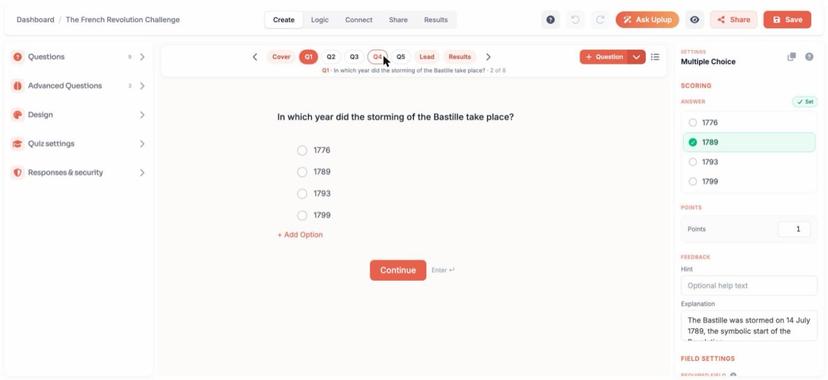
Uplup is an online quiz maker built around the moment Google Forms stops: scored, percentage, pass or fail and personality quizzes live in one builder, and the results screen can ask for an email before it shows the outcome.
Who it suits: creators, marketers, trainers and small stores that want the quiz to produce a lead list or a recommendation.
Price (read November 15, 2026): Free is $0 with 10 responses a month, unlimited quizzes, every scoring mode, 1 AI generation and lead capture, with a “Made with Uplup” badge. Pro is $19 a month or $190 a year for 1,000 responses, no badge, unlimited AI generation and 23 CRM and email integrations; Business is $49 for 10,000, then $10 per 1,000 after that.
What it does that Google Forms can’t:
- Gate the results behind an email, skippable or required, with no sign-in, and the leads land in the dashboard on the free plan.
- Map answers to outcomes, so a “which planner are you” quiz ends on a type and a recommendation rather than a score out of ten.
- Generate the quiz from a prompt, a URL, a PDF, an image or a document, then edit it by chatting with Ask Uplup.
- Embed as an inline block, a popup button or a side tab with one div and one script.
Where Google Forms still wins: it has no free cap, and 10 responses a month is the joint-lowest free ceiling here, level with Typeform, so a quiz running hotter than that pays $19. Flip it around, though, and $19 buys 1,000 gated responses, which is the exact thing you went looking for when you left.
Verdict in one line: if the quiz has to produce a list of people, start here.
2. Microsoft Forms
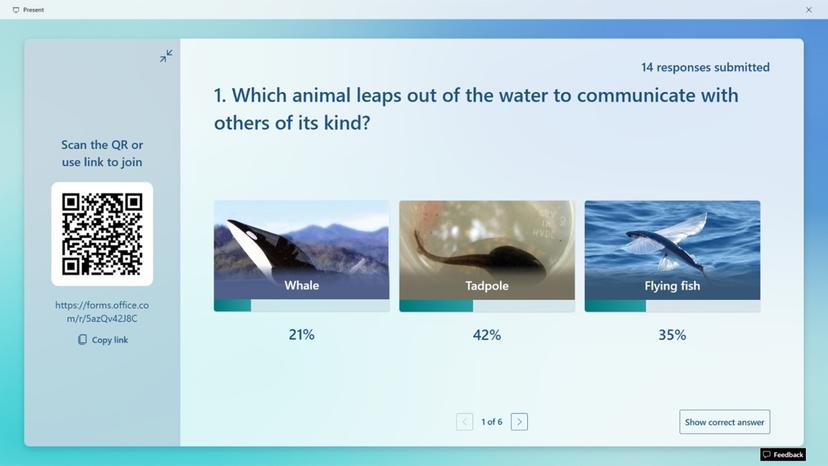
Microsoft Forms is the closest like-for-like swap for someone leaving Google Forms: you pick New Quiz, check the correct answer, type a number in the Points box, and you have the Google Forms experience with a different logo on it.
Who it suits: teachers and trainers on a school or work Microsoft 365 account, and households that live in Office rather than Google.
Price (read November 15, 2026): free with a personal Microsoft account; Microsoft’s limits page says a form or quiz can receive up to 200 responses on a free personal account, 1,000 on a paid one and 5,000,000 on a work or school account, and it puts no price on Forms itself.
What it does that Google Forms can’t:
- Draft the whole quiz from a description with Copilot, if you have a Microsoft 365 account and a Copilot license.
- Show a per-answer Message as soon as someone picks that option, instead of after submission.
- Type actual equations into a choice question with the Math option.
Where Google Forms still wins: it has no response ceiling, so a public quiz heading anywhere near viral needs a work or school login here or a fresh form every 200 takers, and an email is still just a text question.
Verdict in one line: the right move if your school or your house already runs on Office, and the wrong one for a quiz that has to collect leads.
3. Jotform
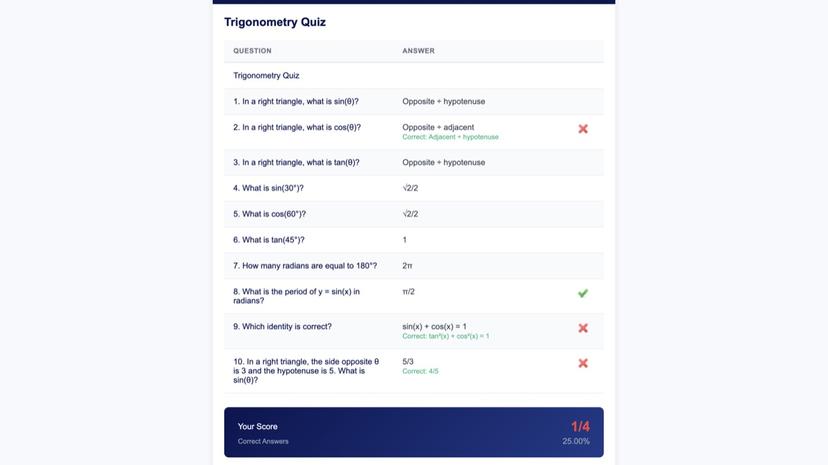
Jotform is a form builder first, with payments, e-signatures and a widget library, and quizzes are one thing in it rather than the thing it’s built around. You get two routes: the Quiz Form app marks the correct answer under each single-choice question and switches on Show Results to user after submission, or the Form Calculation widget adds up the values you assign to answers.
Who it suits: anyone who needs the quiz to sit next to payments, e-signatures and approval flows in one account.
Price (read November 15, 2026): Starter is free with 5 forms, 100 submissions a month and Jotform branding. Bronze is $39 a month or $34 a month billed yearly for 25 forms and 1,000 submissions, Silver is $49 or $39 for 2,500, and Gold is $129 or $99 for 10,000.
What it does that Google Forms can’t:
- Draft a quiz from an uploaded lesson plan: the AI quiz generator takes a prompt or a PDF, PowerPoint, Word or text file up to 10 MB and returns multiple-choice, single-choice and yes-or-no questions.
- Turn a total into a text result with a condition, so a score of 8 or more writes “Advanced” into a field, which is the closest Jotform gets to an outcome quiz, and it works.
- Take a payment in the same form, with 10 payment submissions a month on Starter and 100 on Bronze.
Where Google Forms still wins: it has no submission cap, and Starter stops at 100 a month. Also, none of Jotform’s quiz pages describe outcome or personality logic as a feature (the quiz-maker page lists personality tests as a use case and stops there).
Verdict in one line: pick it when the quiz is one piece of a bigger form workflow, not when the quiz is the product.
Put those three next to Google Forms and “free” turns out to be measured in three different units. Google Forms counts nothing, Microsoft counts the lifetime of the form (200 responses and the quiz is full), and Jotform and Uplup count the month, then reset. A quiz running at 30 responses a month is fine on Jotform’s free plan for years, full on a free Microsoft account in its seventh month, and past Uplup’s free line in its first week. So ask a free plan what its clock counts before you ask how big it is.
4. Typeform
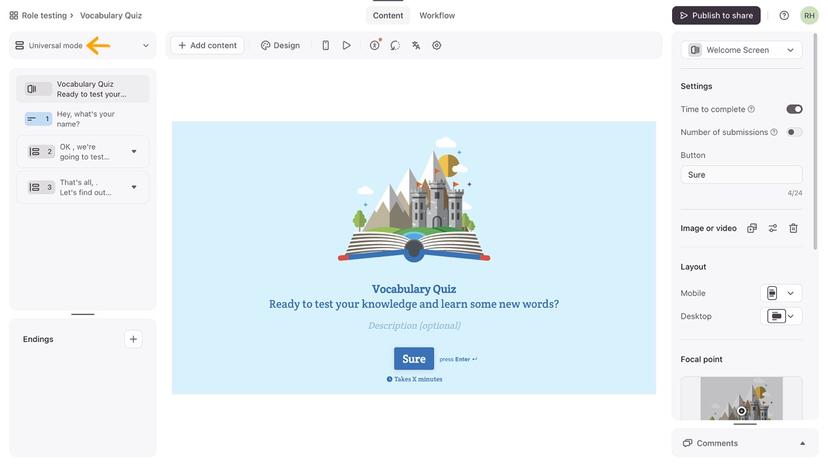
Typeform asks one question per screen, and the part people miss behind the pretty front is how complete the quiz logic is: a Score quiz assigns points to answers and a score range to each ending, and an Outcome quiz links every answer to an ending and shows people the one they picked most often, and that’s a personality engine, whatever the plans page calls it.
Who it suits: brands that care how the quiz feels on a phone, and marketers who want outcome logic on a platform their clients already recognize.
Price (read November 15, 2026): Free is $0, metered at 10 responses a month across every form on the account with no rollover, and the quiz logic, custom endings and Typeform AI are all in it. Basic is $28 a month billed yearly or $39 monthly for 100 responses, Plus is $56 or $79 for 1,000 responses and the removal of Typeform branding, and Business is $91 or $129 for 10,000.
What it does that Google Forms can’t:
- End a quiz on one of several endings by score range or by most-common answer, with no spreadsheet in the loop.
- Show someone their own score or their earlier answers inside the ending text with Recall information.
- Ask one question per screen with a designed theme and your logo, and from Plus with no vendor branding at all.
Where Google Forms still wins: it gives you volume for free, by a mile: 10 responses a month across the whole account is the same floor as Uplup’s. Google Forms also hands you the score summary in the Responses tab for free. Typeform’s plans page lists drop-off rates on Business and nothing I’d call a quiz report.
Verdict in one line: the most finished outcome quiz on the list, priced for brands that will pay for the finish.
5. Zoho Forms
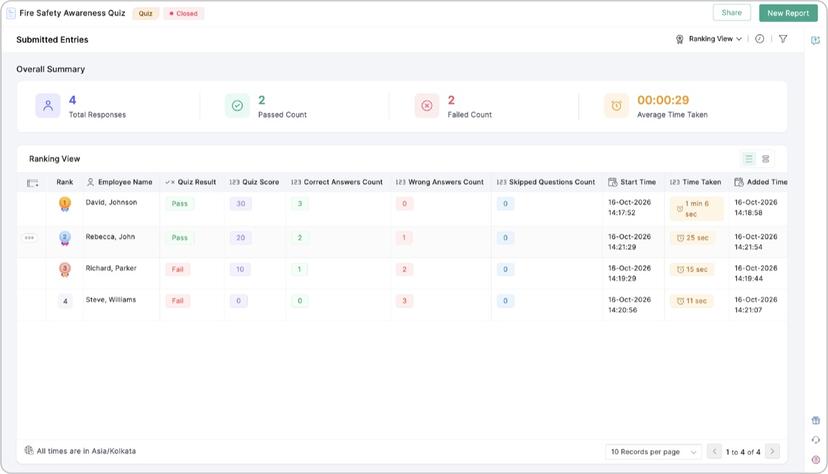
Zoho Forms has a proper quiz type, not a workaround: you choose Quiz when you create the form, open any gradable field’s Answer & Points settings, and the builder header keeps a running total, “Total: 30 Points”, while you work. For a US$10 plan, that’s a lot of quiz.
Who it suits: trainers and HR teams running pass-or-fail assessments, especially inside a business that already pays Zoho for CRM or mail.
Price (read November 15, 2026): Free is US$0 for 1 user, 3 forms and 500 submissions a month with a “Powered by Zoho” footer that Zoho’s FAQ says disappears on any paid plan. Basic is US$10 a month billed annually for unlimited forms and 10,000 submissions a month, Standard is US$25 for 10 users and 25,000, and the comparison table lists Quiz Forms on every plan, Free included.
What it does that Google Forms can’t:
- Set a Pass Score and a timer from 1 minute to 23 hours 59 minutes, with the result reported as pass or fail rather than a bare number.
- Grade typed answers on Single Line, Number and Decimal fields as well as choices, with up to 100 points a question.
- Put the score into notification emails and a PDF with the Quiz Score and Quiz Result variables, so the certificate email writes itself.
Where Google Forms still wins: it shows the taker their score on screen the second they submit. Zoho’s help page describes points, pass scores and timers but no built-in results screen (the score shows up only where you place the Quiz Score and Quiz Result variables, on the thank-you page, in the email or in the PDF), and quiz forms run on Form Rules only and don’t open in the mobile app. That being said, the free cap is 500 a month, the biggest hard number on this list.
Verdict in one line: the assessment tool of the nine, and a very good deal at US$10.
6. SurveyMonkey
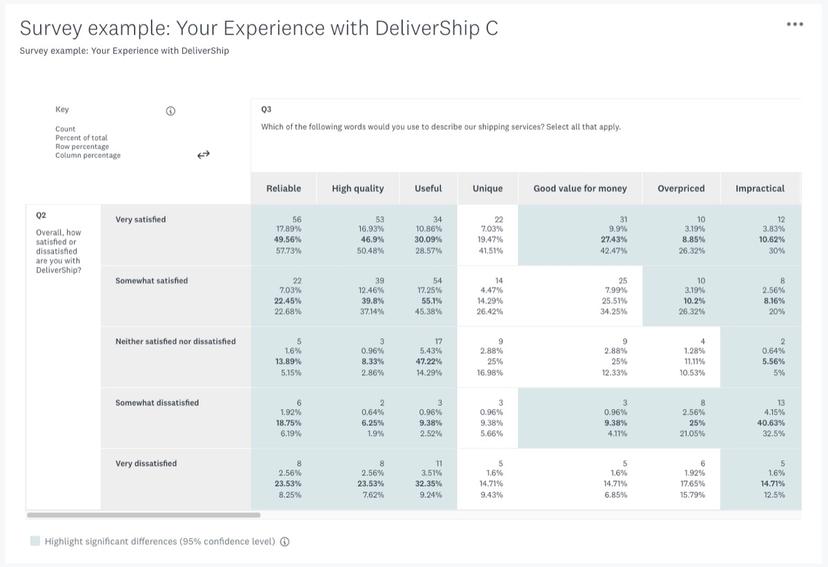
SurveyMonkey turns any survey into a quiz when you switch on Score this question (enable quiz mode), and the scoring underneath is proper statistics: any answer can carry any positive point value, checkbox questions earn partial credit, and the Quiz Summary gives you average, distribution, median and standard deviation plus a Question Rankings view sorted by difficulty.
Who it suits: research and L&D teams that already pay for SurveyMonkey and want a knowledge check with statistics behind it.
Price (read November 15, 2026): Basic is free with 10 questions per survey and a limited number of viewable responses that the public page no longer prints; it says to sign up or log in to see the exact amount. Standard Monthly is $149 a month billed monthly for 1,000 responses a month, Advantage Annual is $39 a month, $468 billed annually, for 15,000 responses a year, with $0.15 per response over the plan, and the feature comparison marks quiz scoring “Limited” on Basic.
What it does that Google Forms can’t:
- Give partial credit on a checkbox question and vary the end-of-quiz feedback by score range, with text and images up to 1,000 characters.
- Report on the quiz as a dataset: average score, score distribution, and a ranking of questions by how hard they turned out to be.
- Email each respondent a link to their own results with Email Quiz Results when you send through email invitations.
Where Google Forms still wins: it lets a section jump and a score coexist. SurveyMonkey’s help page says Display Quiz Results switches itself off as soon as you add skip logic, advanced branching or piping, so a quiz can be clever or it can show the score, not both. And $149 a month is a serious number for a 300-response quiz.
Verdict in one line: a statistician’s quiz tool, and the wrong shape for a lead quiz.
Something the middle three show: inside a form builder, quiz scoring and branching tend to fight. Zoho’s quiz is its own form type and gives up field and page rules to exist, and SurveyMonkey makes you pick clever or scored, because the results screen won’t show once skip logic is on. Typeform is the one that got it right, since its two quiz types are built out of the logic itself, and that’s the difference you feel in a quiz-first tool: the part that grades and the part that routes are one thing, so an outcome quiz is a setting instead of a workaround.
7. Tally
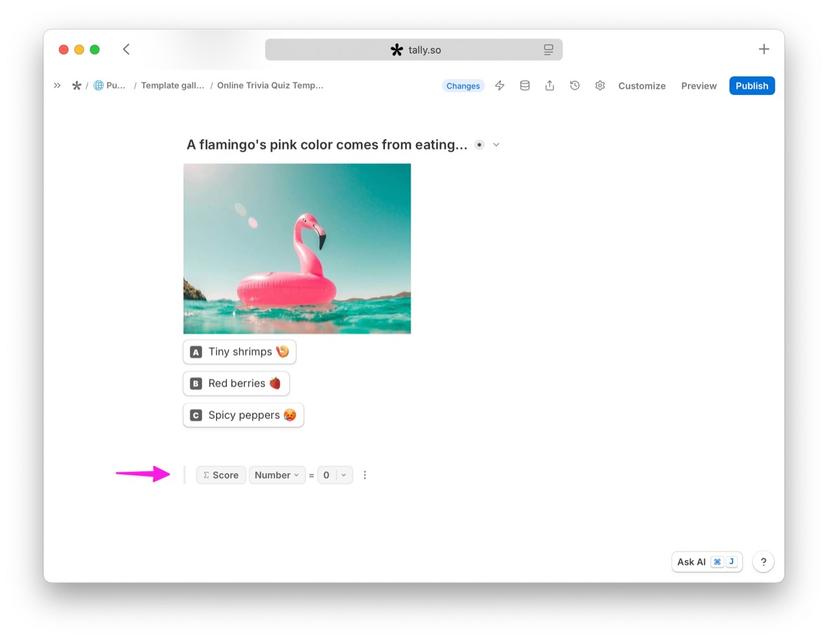
Tally is where the Google Sheet formula goes to become a form field: there’s no quiz mode, so you build the score from a calculated field and logic blocks, and in return the free plan never counts a submission, within fair use, with payments, signatures and file uploads thrown in. Tally’s own help page walks the build step by step.
Who it suits: anyone who was already doing the grading in a Sheet and would rather the form did it, and anyone whose budget is exactly zero.
Price (read November 15, 2026): Free is unlimited forms and submissions with Tally branding. Pro is $24 a month billed yearly, or $29 month to month, and takes the branding off, and the same $24 brings custom domains, partial submissions, custom CSS and drop-off analytics. Business is $74 a month billed yearly, or $89 month to month, and adds email verification for respondents.
What it does that Google Forms can’t:
- Score without a sheet: add a Number field called Score starting at 0, drop a conditional logic block under each question, and use Calculate to add points when the right answer is picked.
- Show the score inside the thank-you page by typing @ and picking the Score field, and route to a second thank-you page by score (the help page’s example uses 15 as the cutoff) for a pass or a fail.
- Pipe every submission to Google Sheets, Notion, Airtable, Zapier, Make or a webhook on the free plan.
Where Google Forms still wins: it takes five minutes. Tally’s quiz is a calculated field, a logic block per question and a variable in the thank-you page, and if the taker should get their score by email, that’s Pro. It’s a fair trade, honestly, because the assembly replaces the spreadsheet formula you were maintaining anyway, and the cap never arrives.
Verdict in one line: the free plan the others get compared to, if you’re happy to build the scoring yourself.
8. forms.app
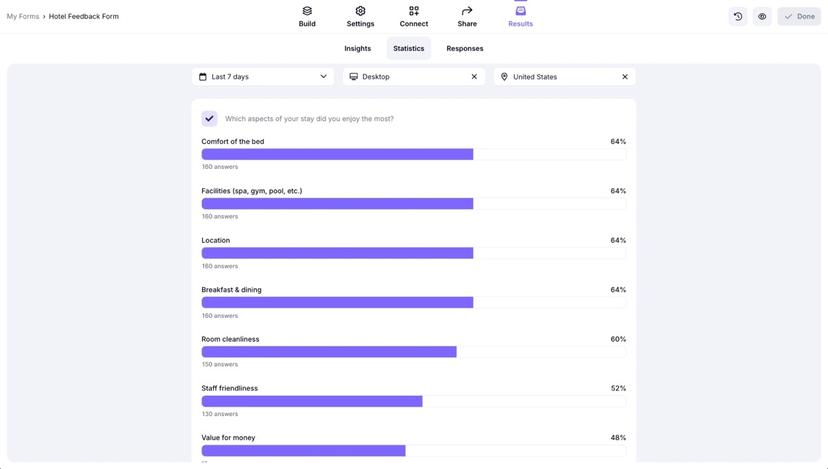
forms.app is the surprise on this list, because its pricing page puts “Unlimited responses” on every plan, Free included, and its quiz maker page describes points for auto-grading, custom messages by score range, a countdown or count-up timer, and multiple endings that can recommend a product. That’s most of the lead-quiz checklist – the question is what sits on the free plan.
Who it suits: small businesses and creators who want a lead quiz with endings and a timer, and who can work within 5 forms on Free or a low paid tier.
Price (read November 15, 2026): Free is $0 with unlimited responses, 5 forms, 10 MB of storage, auto-scoring, the AI form creator and forms.app branding. As I write this, the page is running a November sale: Grow at $12.50 a month billed annually against a regular $19, with 25 forms, branding removal and multiple endings, and Scale at $19 against a regular $35, with unlimited forms and a custom domain. There’s no monthly-billing price printed on the page.
What it does that Google Forms can’t:
- Show a different ending by score or by answers, including a product recommendation on the ending page, on Grow and up.
- Run a timer that counts down to add pressure or counts up to see who finishes fastest.
- Draft a quiz from a description with the AI form creator on every plan, then refine questions and generate answer options with AI.
Where Google Forms still wins: it doesn’t count forms or storage – 5 forms and 10 MB on Free is tight if you run several quizzes, and customized notifications are gated to Grow.
Verdict in one line: the free plan that does the most, as long as five forms are enough.
9. Quizizz (Wayground)
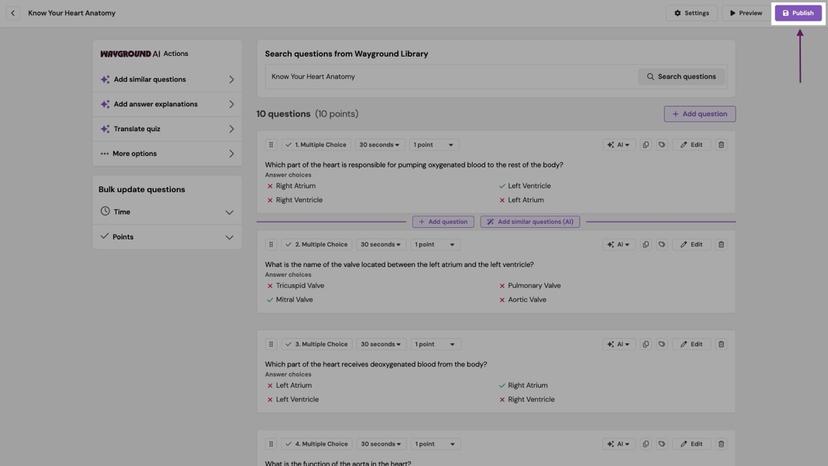
Quizizz, now Wayground, is the classroom quiz platform, and I’ve put it last not because it’s weak but because it’s answering a different question: the takers are a roster rather than strangers on a link, and the quiz is a session the teacher runs, live or assigned, with the grading automatic and the motivating done by the game.
Who it suits: K-12 teachers, tutors and anyone else whose takers are students.
Price (read November 15, 2026): the Basic plan is “free for every teacher, forever” with no credit card, and the plans table lists 100 students (per game or per class, the page doesn’t say), limited library access, 20 stored activities and limited question types. The individual Super plan is named on the page but carries no price there, School and District plans are by quote, and non-K-12 organizations are pointed to separate Corporate Plans.
What it does that Google Forms can’t:
- Run the quiz live with everyone answering at once, teacher-paced, or assign it as self-paced work, in Classic, Team and Mastery Peak modes.
- Auto-grade every answer and gamify it with leaderboards, power-ups and avatars, which is what gets a class to want the quiz.
- Generate, import and adapt questions with Wayground AI, so the lesson plan becomes the quiz without retyping.
Where Google Forms still wins: it works everywhere outside a classroom. Nothing on Wayground’s plans page describes lead capture, an email gate or marketing use, and Basic stores 20 activities, which is a term of weekly quizzes before something has to go. For a brand quiz on a landing page this is 100% the wrong aisle.
Verdict in one line: the right tool for a classroom and nothing else, and it’s super good at that one job.
What 300 quiz responses a month costs on each
Let me run the whole list at one real volume, because the free caps sort this list before a single feature gets compared. The assumptions: one quiz, 300 completed responses a month, and for each tool the cost with the vendor’s branding on and the first plan that takes it off, at the price on the vendor’s page.
- Uplup: Free stops at 10, so Pro at $19 a month, or $190 a year, which works out to $15.83 a month, with no badge and lead capture.
- Microsoft Forms: $0 on a work or school account. A free personal account fills the form at 200, so 300 a month means a new form every three weeks.
- Jotform: Starter’s 100 is three times short, so Bronze at $34 a month billed yearly or $39 monthly.
- Typeform: Free’s 10 and Basic’s 100 are both short, so Plus at $56 billed yearly or $79 monthly, which is also where the branding comes off.
- Zoho Forms: Free’s 500 a month swallows all 300 with 200 to spare, for $0 with the footer, and Basic at US$10 billed annually takes it off.
- SurveyMonkey: Basic doesn’t publish its view cap, so Advantage Annual at $39 a month, $468 up front, or Standard Monthly at $149 if you won’t commit to a year.
- Tally: $0 with Tally’s branding and no ceiling; Pro at $24 a month billed yearly removes it and emails respondents their result.
- forms.app: $0 with forms.app branding; Grow at $12.50 billed annually on the sale price removes it and adds multiple endings.
- Quizizz (Wayground): $0 if the 300 are students, with the caveat that Basic lists 100 students and the page doesn’t say per game or per class.
Line the free caps up and they sort the list by themselves: 10, 10, 100, 200 per form, 500, and unlimited twice. One column doing the work of the whole table is my favorite kind of result, because it says the price of each tool is set by its free cap and not by its paid plan. What the column can’t show is the thing that matters most for a lead quiz. The $0 lines buy you volume with the vendor’s badge on it and an email field; on the tools that have outcome logic and a gated, branded results screen, that’s what the paid line is for.
When I’d stay on Google Forms
I’d stay on Google Forms in three cases, and I’d say so to a customer who asked.
- Internal training inside Google Workspace, where everyone already has an account: the Verified email setting stops being the problem and becomes the point.
- A one-off class quiz or a trivia round where nobody needs a lead list and the Google Sheet is the gradebook.
- Zero budget and a public quiz under about 200 responses with no interest in who took it, where every free plan here fits and the switch buys you nothing you asked for.
Which one for your setup?
The right Google Forms alternative depends on who’s taking the quiz, so I’ll split it by setup.
- A teacher with a Google Workspace account stays on Google Forms, or moves to Microsoft Forms if the school runs Office, or to Wayground if the quiz should feel like a game.
- A creator building an email list goes to Uplup, where the gate and the outcomes live in one builder, or to Typeform if the budget runs to $56 a month for the conversational feel.
- A trainer running pass-or-fail assessments goes to Zoho Forms for the pass score, timer and PDF variables at US$10, or to SurveyMonkey when the L&D team wants the statistics.
- A store recommending products uses Typeform’s Outcome quiz or Uplup’s outcome mapping, whichever embed sits better on the product page, with forms.app as the $0 option while volume is unknown.
- An agency building quizzes for clients leans on Tally for unlimited forms with custom domains on Pro, or on Jotform when the client work is forms first and quizzes second.
Frequently asked questions
Does Google Forms grade quizzes automatically?
Yes. Turn on Make this a quiz in Settings, give each question an answer key and a point value, and Google Forms scores every submission on its own. Answer keys work on short answer, multiple choice, checkbox, dropdown and grid questions, and you choose whether grades release immediately or later, after a manual review.
Can Google Forms collect email addresses without a Google sign-in?
Yes, but there’s a catch. The Collect email addresses setting offers Verified, which records the signed-in Google Account, or Responder input, a typed field Google requires before submitting and doesn’t describe as verified. So you can collect an address without a sign-in, but nothing on Google’s side vouches for it.
What is the best free alternative to Google Forms for quizzes?
For volume, it’s Tally or forms.app, which both leave responses uncapped on their free plans as of November 15, 2026, with hand-built or point-based scoring and the vendor’s branding showing. For a quiz that has to capture leads or map answers to outcomes, Uplup’s free plan does both with every scoring mode included, capped at 10 responses a month.
How do I move a quiz out of Google Forms?
Your questions and answer key move by copy and paste, or by letting the new tool’s AI draft from your PDF; your old responses don’t, they stay in the Google Sheet, so export it first. Rebuild the scoring, publish, and point the old links at the new quiz; our guide to how to make a quiz covers the rebuild.
Is Google Forms good for lead generation quizzes?
No. It grades well, but there’s no email gate in front of the results, no way to send different people to different outcomes, and the only verified email it collects comes from a Google sign-in. A lead quiz needs an email step with no login, a results screen per outcome, and a path into your email tool.
How do you make a personality quiz on Google Forms?
You can’t, not properly: Google Forms quiz settings are an answer key, points, feedback and release timing, and nothing maps a set of answers to a result type. Go to section based on answer routes people to a section, not a result. Typeform’s Outcome quiz, Uplup’s personality scoring mode and forms.app’s multiple endings all do this as a setting.
Your next fifteen minutes
Open your busiest Google Forms quiz, copy the questions and the answer key into a document, and rebuild it in a free account on whichever tool fits your setup above. If that’s Uplup, paste the questions into the AI quiz generator and your one free generation drafts the scored version, with lead capture switched on in a click. Then swap the share link wherever the old one lives (the class page, the newsletter, the slide) and leave the old form open for a week to catch the stragglers.
